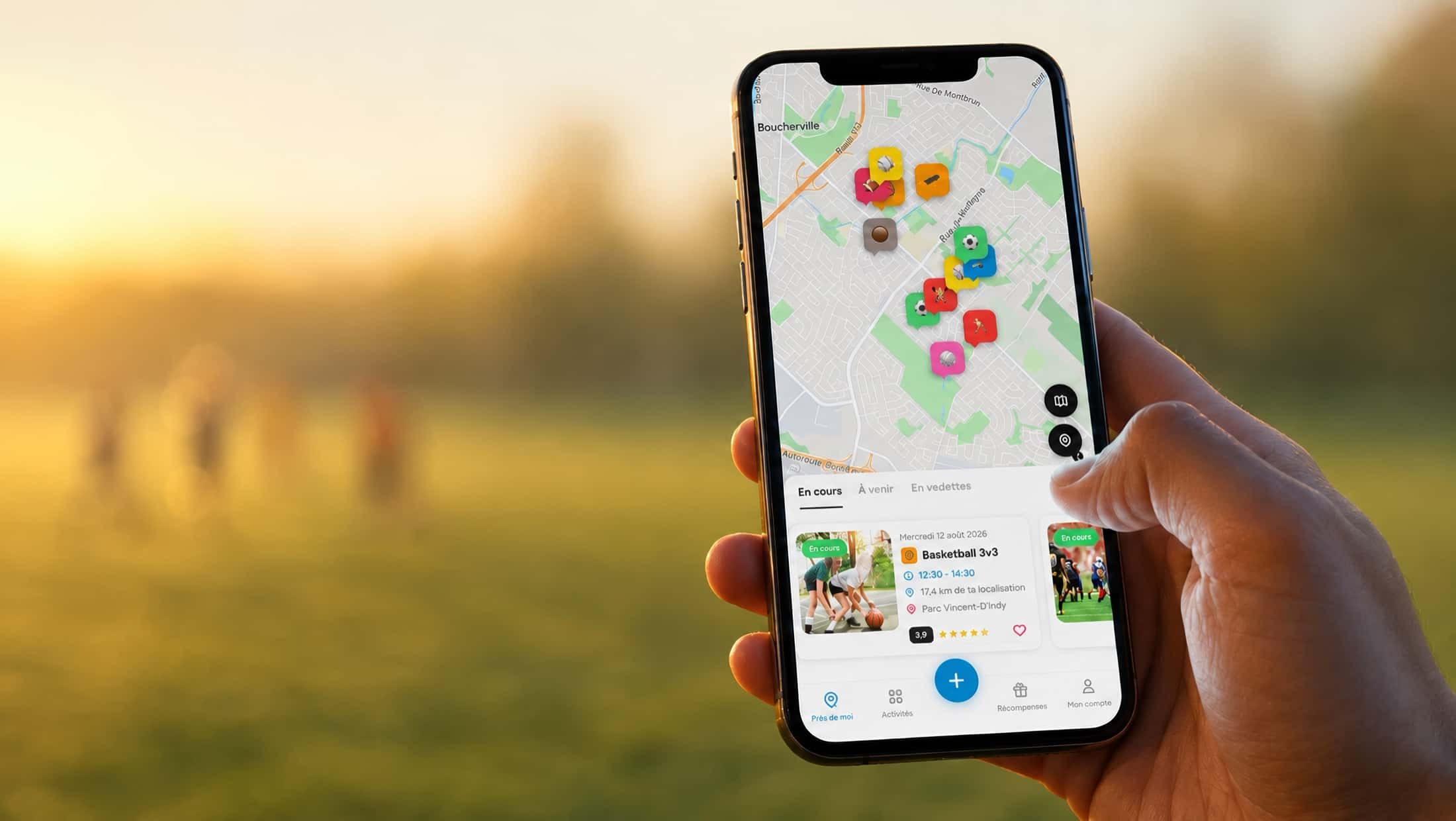

A hand holds a phone in a park at sunset; the Viens Jouer neighbourhood map shows the games under way, with a soccer game in the background.

Apps & platforms

Apps.Opened twice.

From first sketch to launch: mobile products built around the gesture, not around the demo.

An app opened once is not a product. 

A gesture repeated without thinking becomes a habit. 

We design and ship custom mobile apps and platforms — from architecture to the last pixel. The test is never the demo: it's the second launch, three days later.

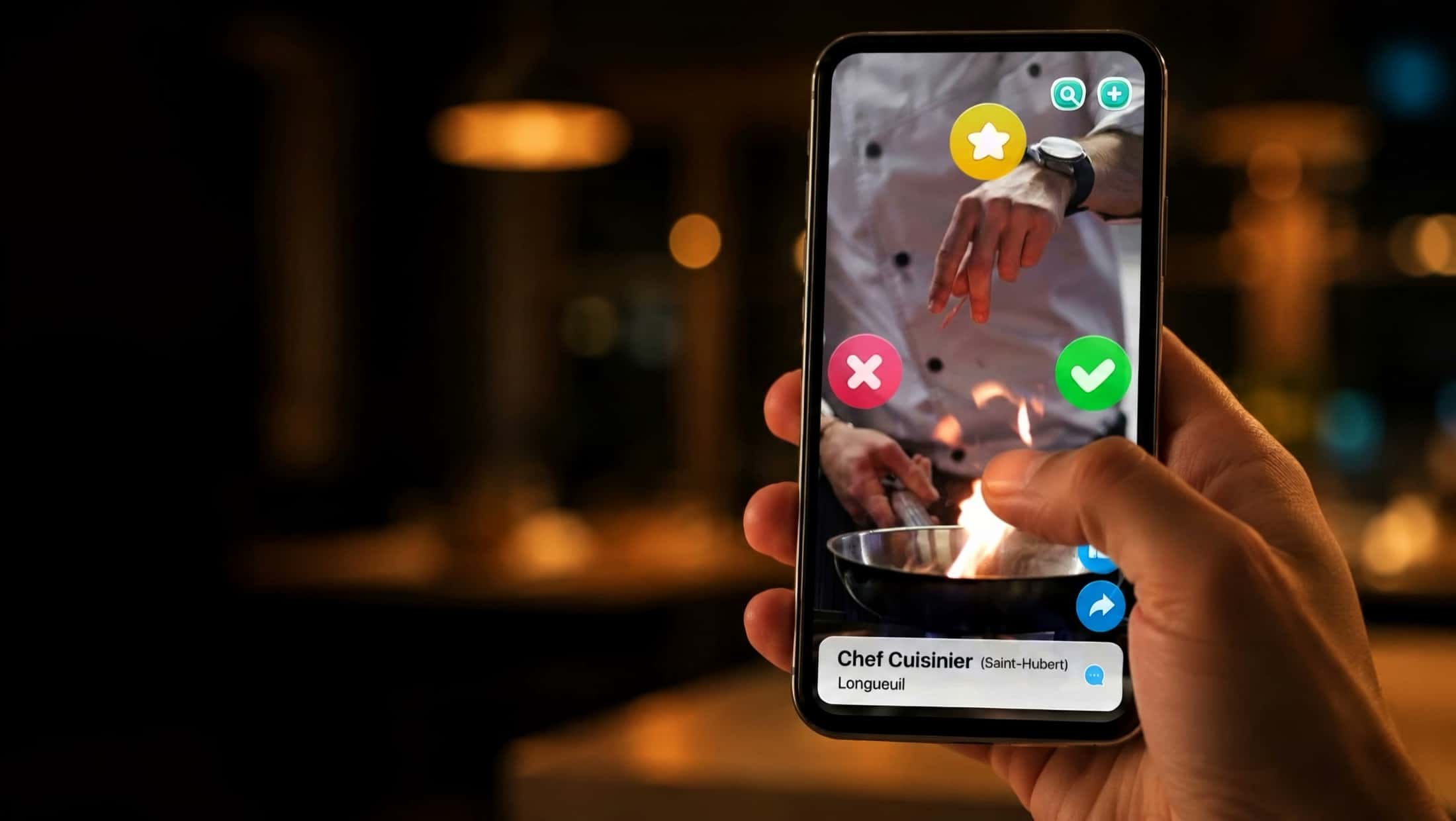
A thumb hovers over a cook's profile in a hiring app; the whole decision fits in one gesture.

What we ship

Not screens.A gesture.

The projects

Twelve products. Twelve ways to fit in one hand.

Every app rests on the same principle: one central gesture, learned in three seconds, and everything else built around it.

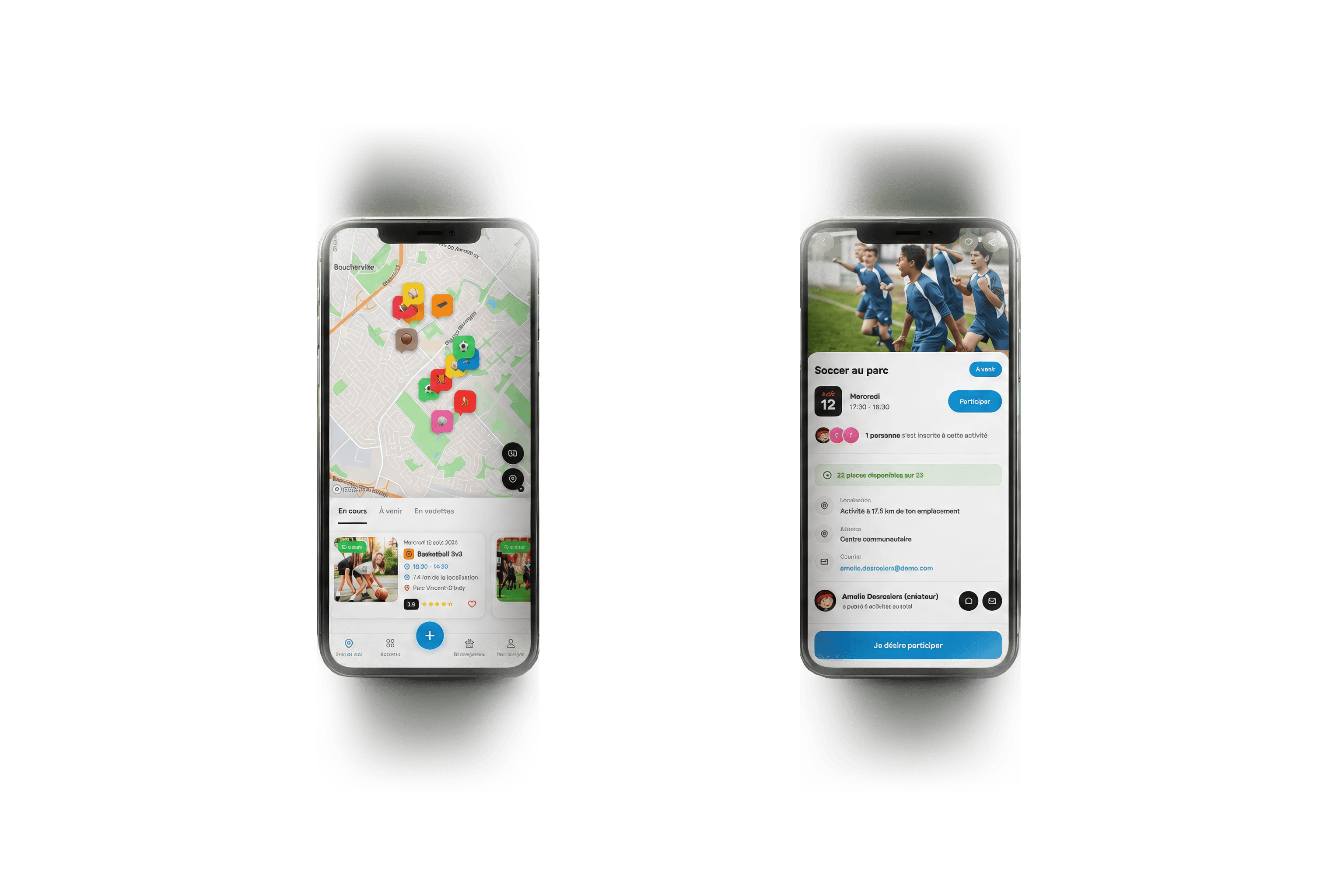
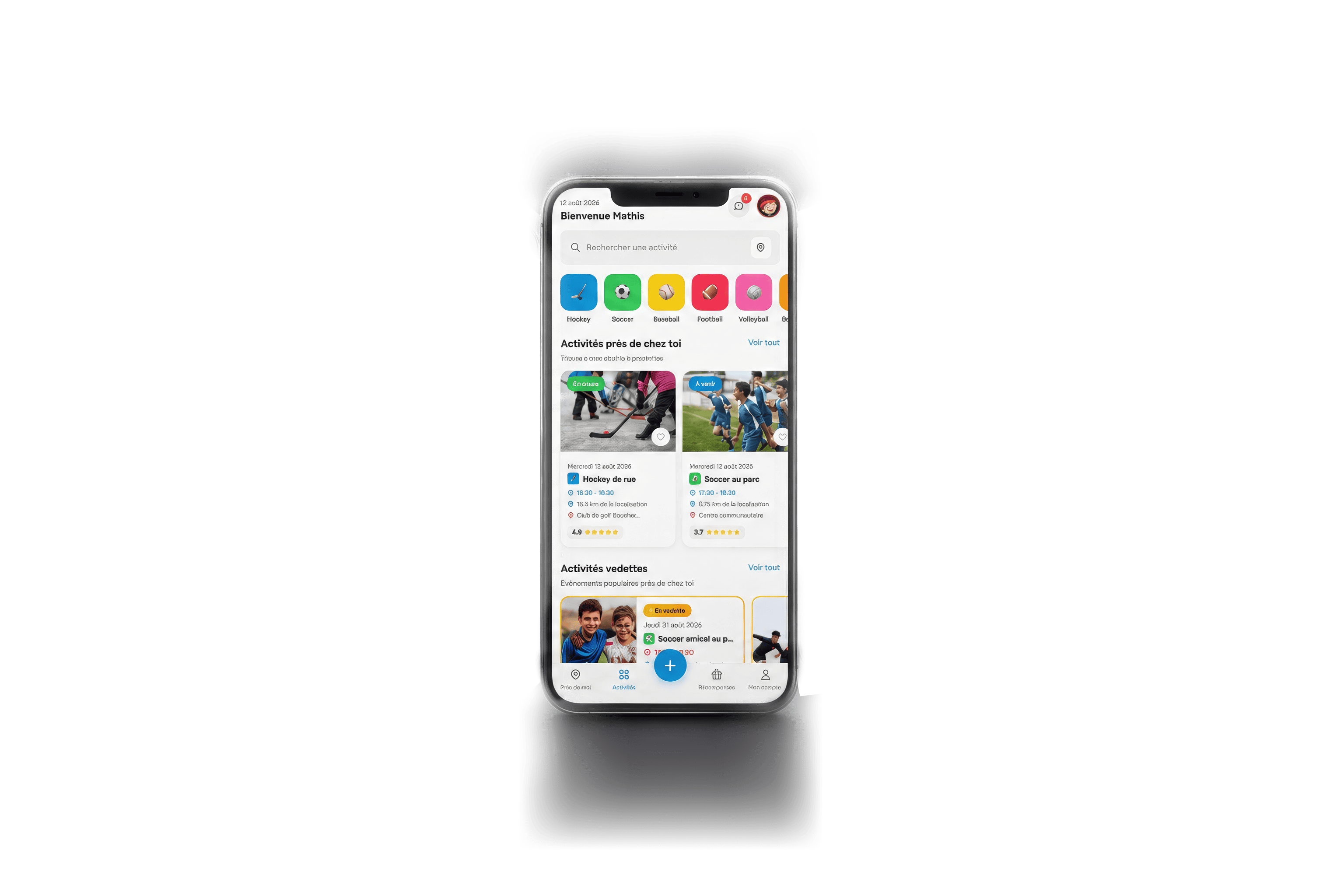
Five Viens Jouer screens: sport selection, the neighbourhood map with live activities, the personalised home, a soccer game listing and the player profile.

01iOS & Android — Quebec

Built for Viens Jouer

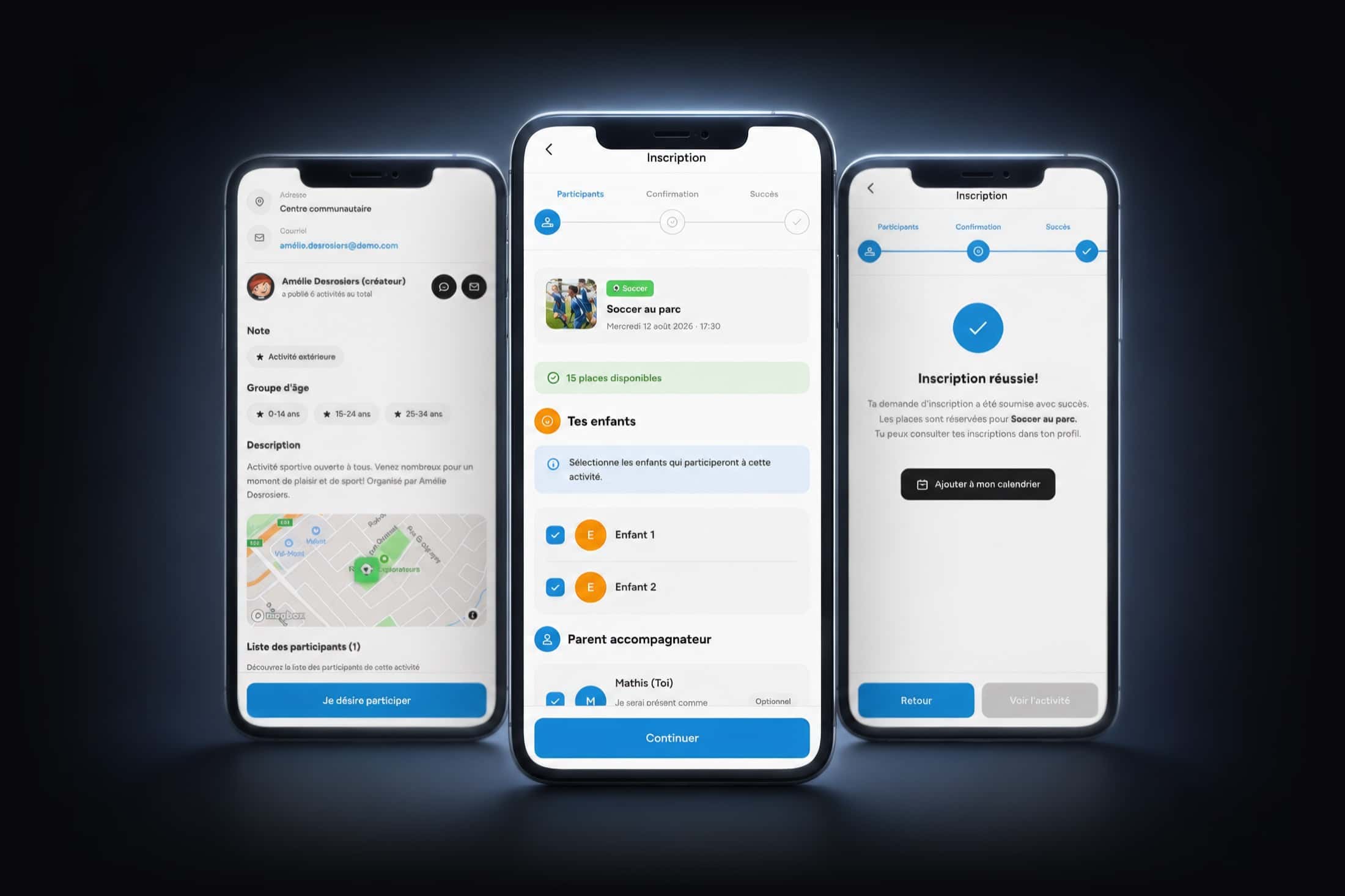
Viens JouerNeighbourhood sport, one tap away

A street hockey game starts at 6pm, four hundred metres from your door. You just had to know about it.

Viens Jouer answers a problem every parent knows: the kids want to move, the fields are right there, and nobody knows who plays when. The app opens on a neighbourhood map where every live game appears as a coloured pin — hockey, soccer, baseball, volleyball. You see the time, the distance, the spots left, and you register your children in three screens. The other half of the product matters just as much: anyone can create an activity in two minutes, pick a sport, drop a point on the map, and the neighbourhood gets notified. A points and rewards system turns regularity into gift cards at sporting retailers — because a sports app is worth nothing if nobody opens it again the following week.

Platforms
iOS · Android
Our role
Design, interface, development
Status
In production
Three screens showing registration for an activity: the full listing, choosing which children take part, then confirmation.
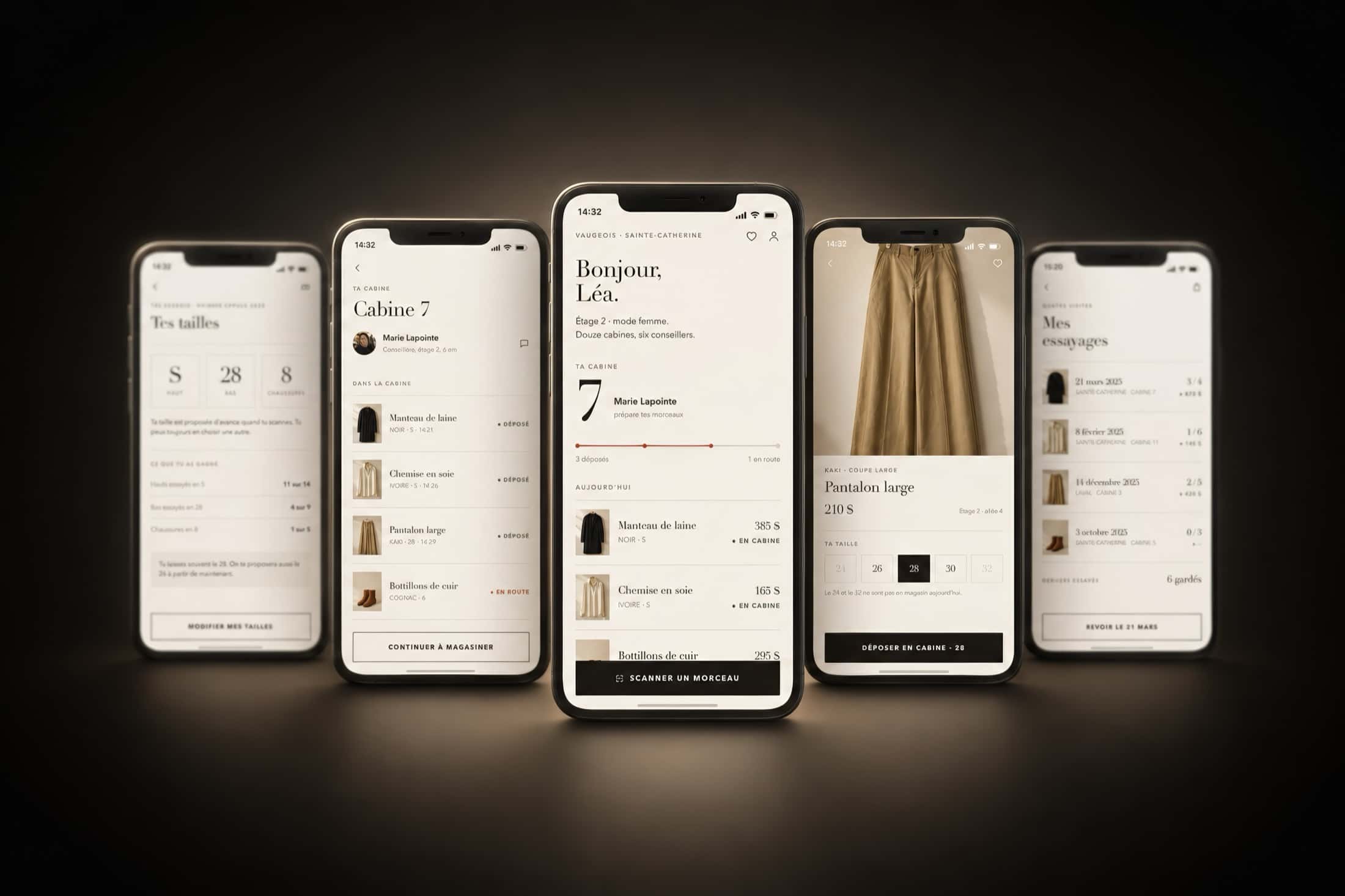
Five Cabine screens in ivory: remembered sizes, the contents of room 7, the welcome on the womenswear floor, a pair of trousers to send in, and the history of past fittings.

02Retail — iOS & Android

CabineThe next size up, without opening the door

You're half-dressed, the door is shut, and the trousers are too big. That is the exact second the sale is lost.

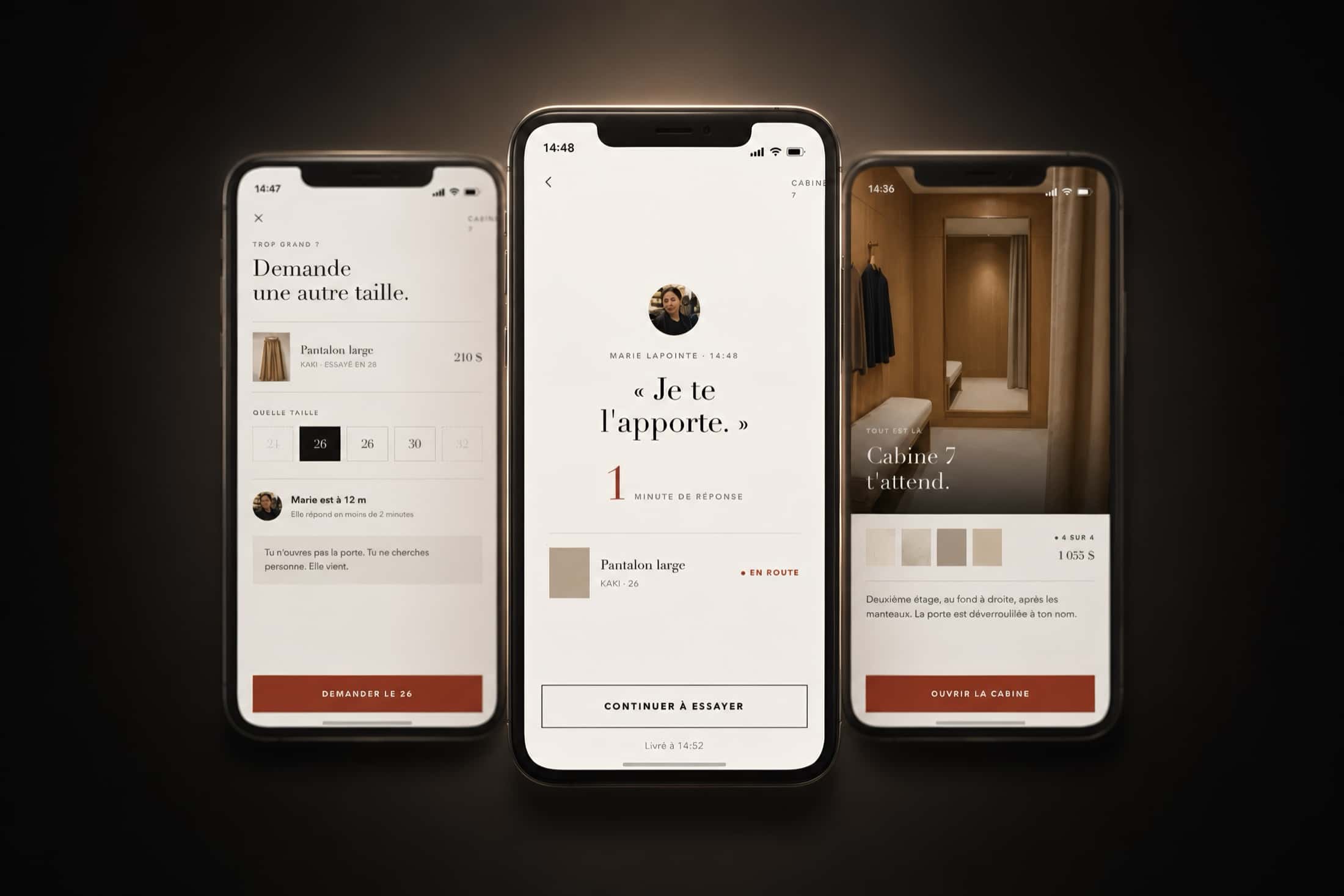
A clothing store is entirely designed to get you into the fitting room, and nothing in it is designed once you're there. You have to dress again, come out, find someone, locate the rail, come back — and most of the time you don't come back. Cabine deletes that trip: from inside the room you ask for the next size up, and an advisor brings it. You don't open the door, you don't go looking for anyone, she comes to you. The rest of the product extends the same idea without ever contradicting it. Scan a tag anywhere in the store and the piece is waiting in your room before you get there. Sizes are remembered from one visit to the next, so the question isn't asked twice. And at the end you pay from the room: the security tags release at the door, the receipt arrives by email, the till disappears. On the advisor's side, the same app becomes a queue — oldest request first, with the aisle and shelf to search. Nobody decides who to serve before whom, and that is exactly what makes the floor survivable on a Saturday afternoon.

Platforms
iOS · Android
Our role
Concept, interface, full prototype
Status
Demo on request
Three screens of the central gesture: asking for another size from inside the room, the advisor's reply within a minute, and the room ready upstairs.
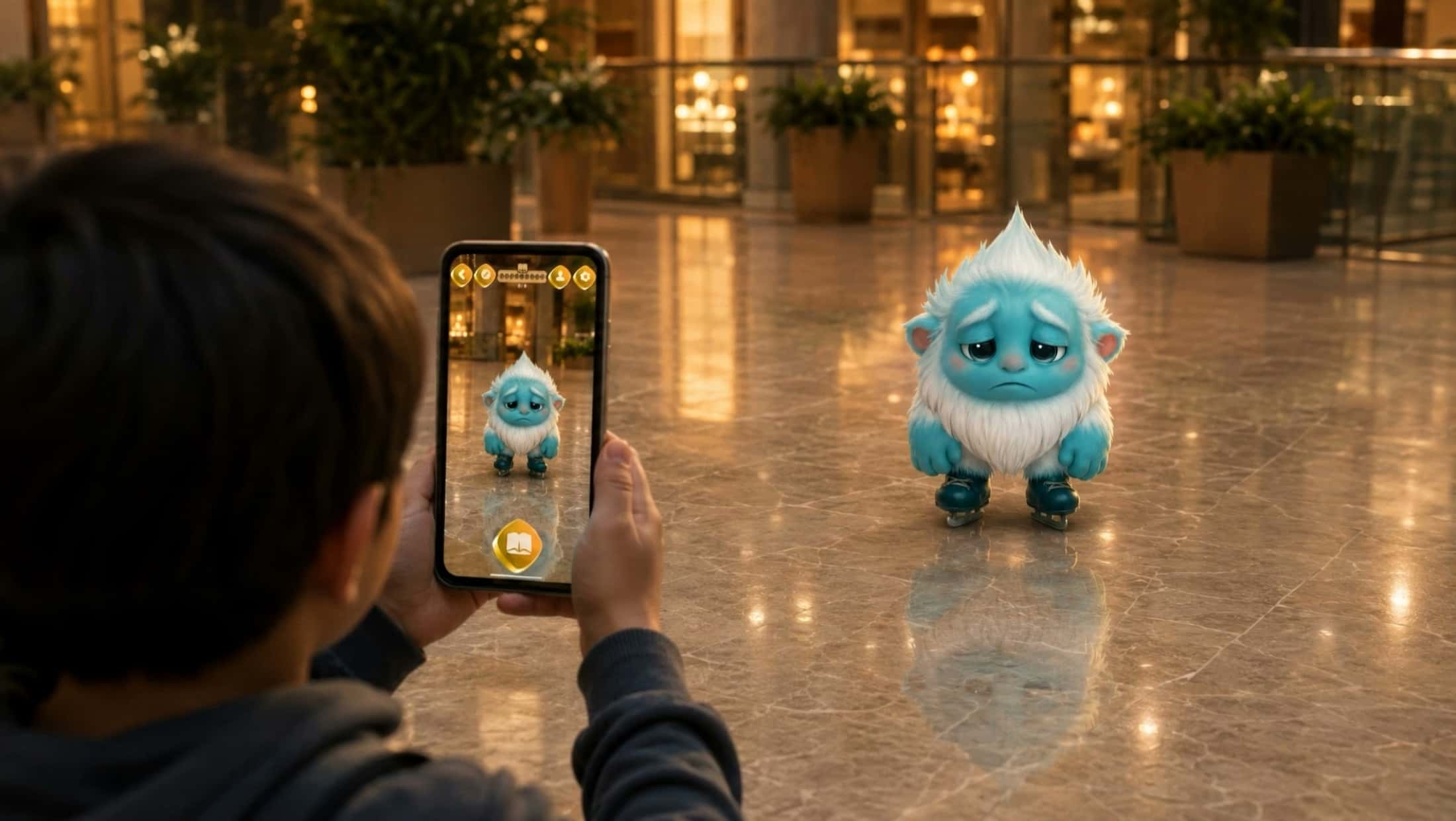
A child raises his phone in a shopping mall concourse; an augmented-reality creature stands in front of him at full size.

At real scale

It starts workingwhen it becomes invisible.

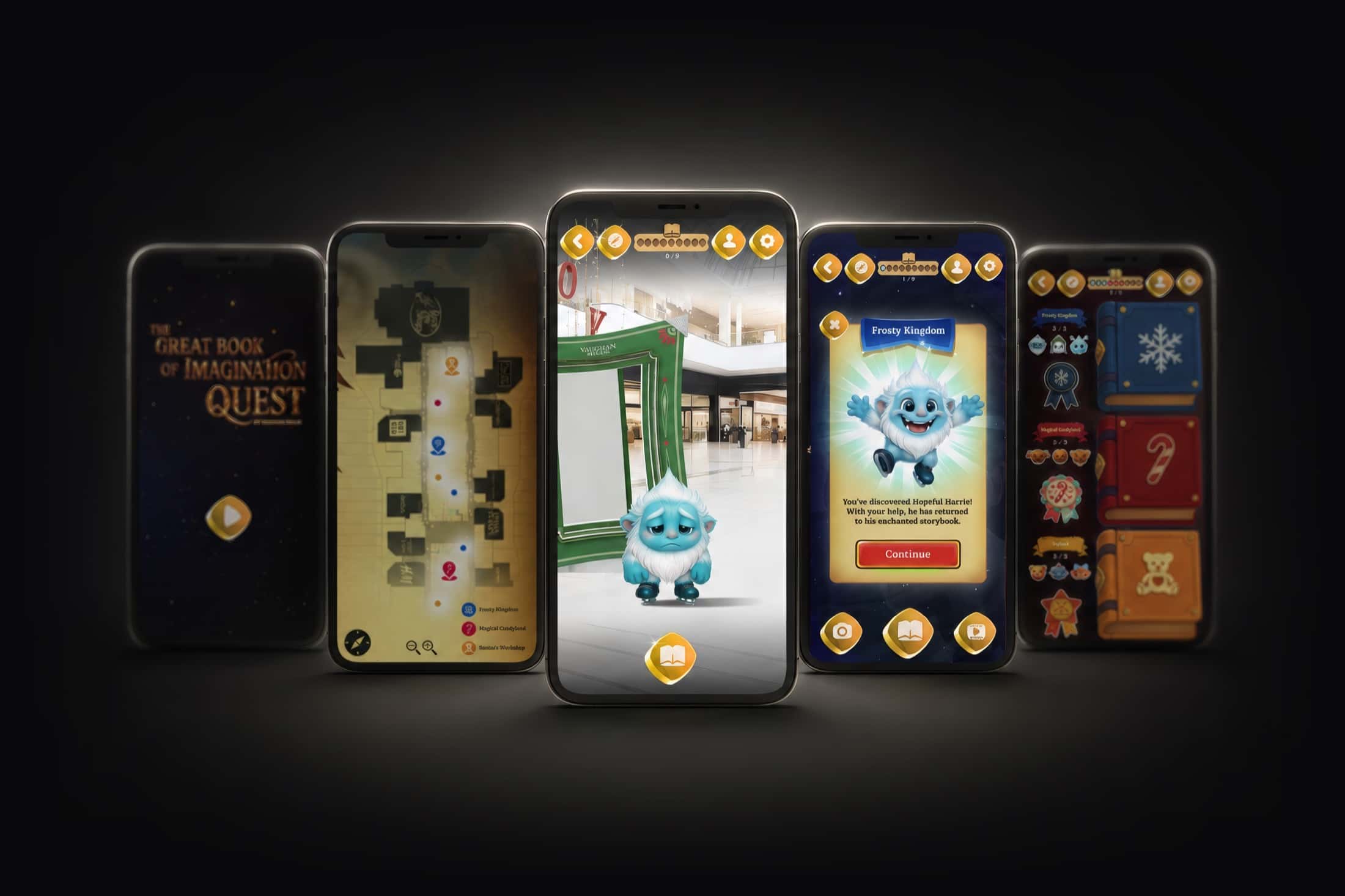
Five quest screens: the golden title screen, the mall map, a yeti in augmented reality in the concourse, a character discovery card and the collection book.

03Shopping centre — Ontario

Built for Vaughan Mills

The Great Book of Imagination QuestNine characters to bring home

Nine characters escaped from a great book. They are somewhere in the shopping centre.

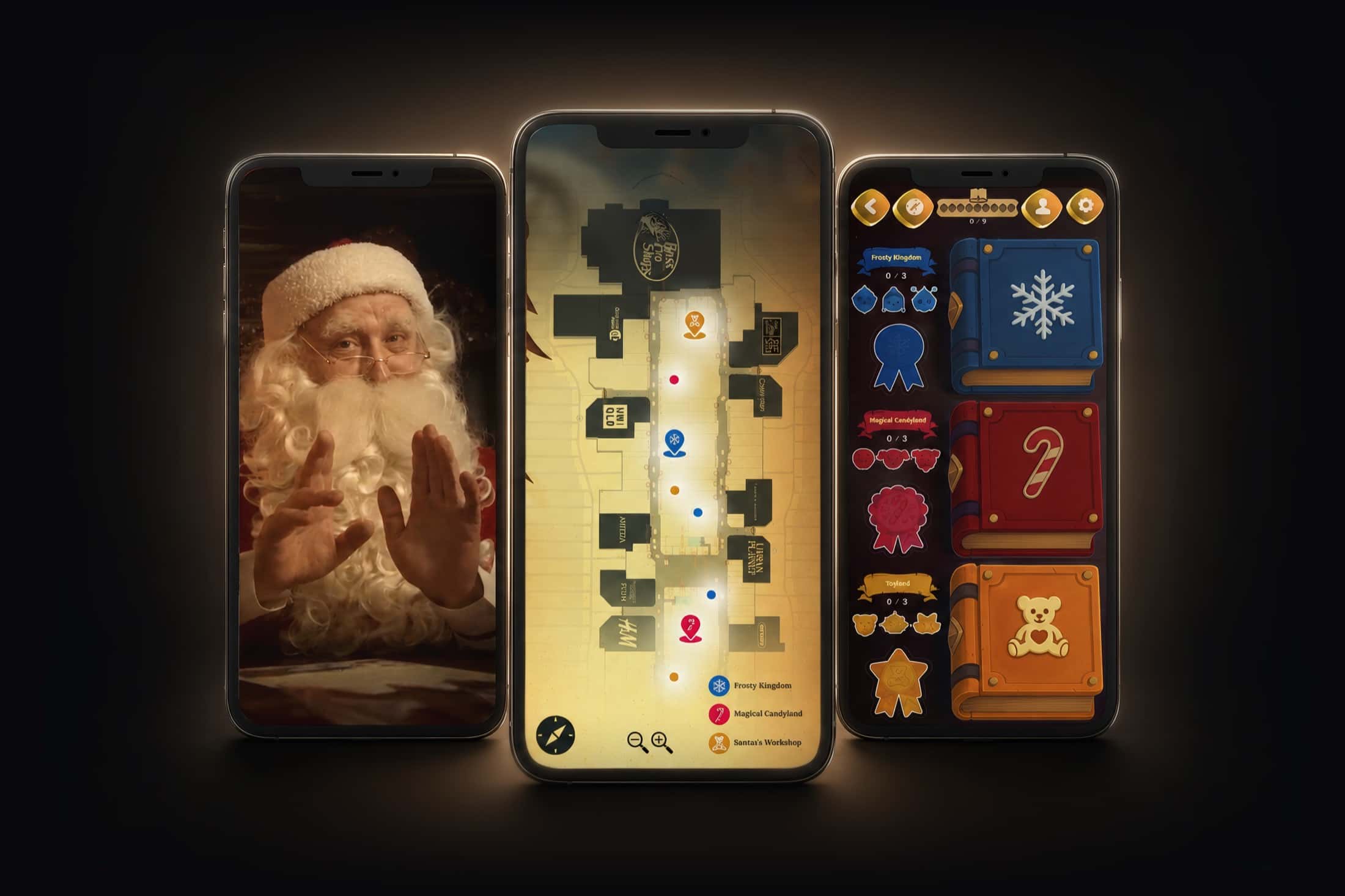
The premise fits in one sentence, and that is exactly why it works with children: the heroes of a magical book have scattered, and they need to be found and brought back. Each one appears in augmented reality at a precise spot in the centre — the yeti in front of a storefront, the robot near the escalator — and poses for a photo before returning to its page. Three kingdoms, three characters each, and a book that fills up as you go. The mall map shows the zones, never the exact positions: the walking is part of the game. A golden badge crowns all nine finds, and a reset button lets the whole quest start over on the next visit.

Platforms
iOS · Android
Our role
Concept, augmented reality, development
Status
Delivered
Three screens: Santa in the welcome video, the mall map with its three kingdoms, and the collection book still empty.
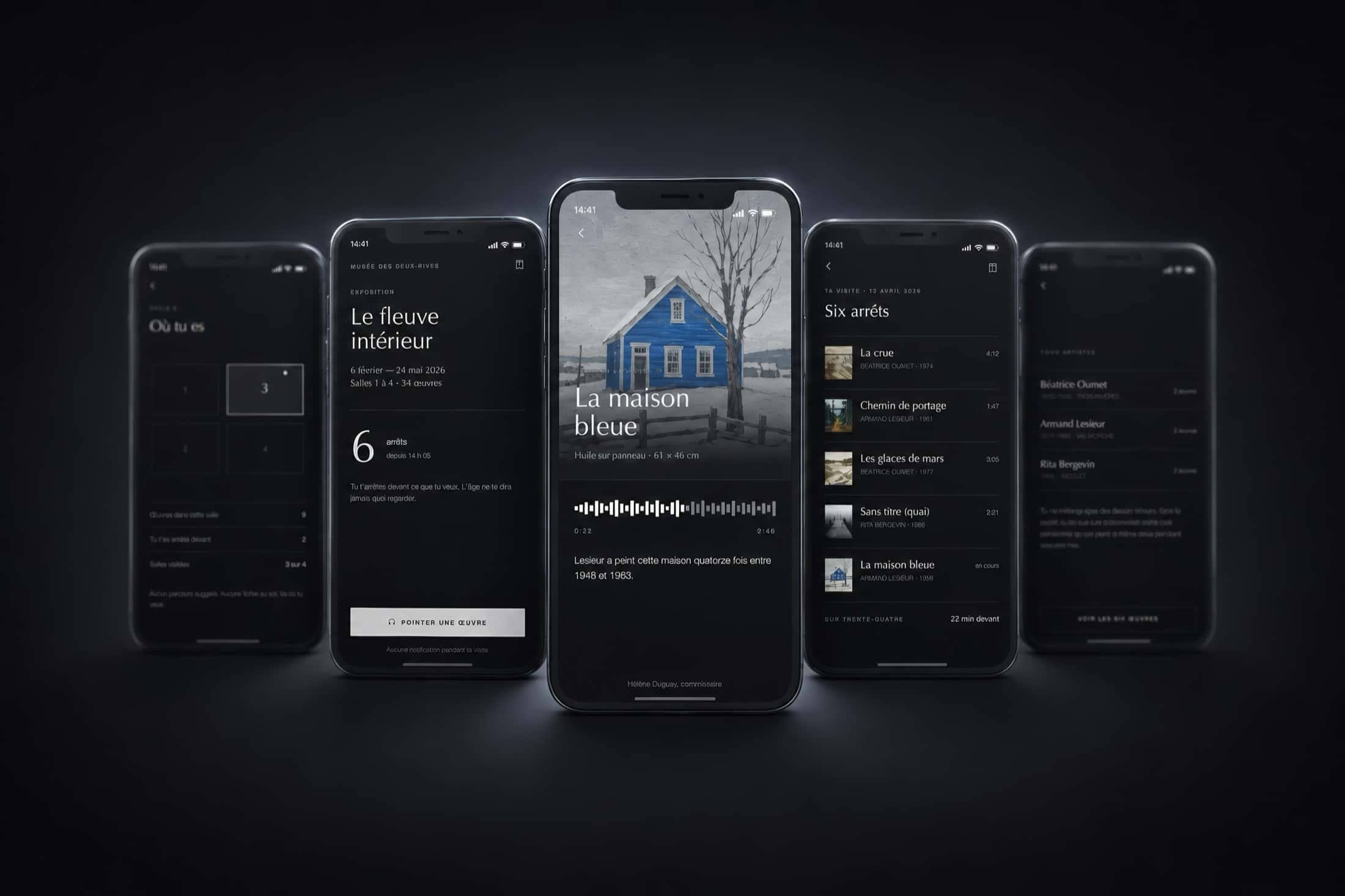
Five Trace screens in black: your position across the rooms, the exhibition page, an oil on panel with its audio capsule, the list of six stops and the artists encountered.

04Museums & exhibitions — iOS & Android

TraceThe museum that doesn't keep score

Thirty-four works in the exhibition. You look at six. The app will not hold it against you.

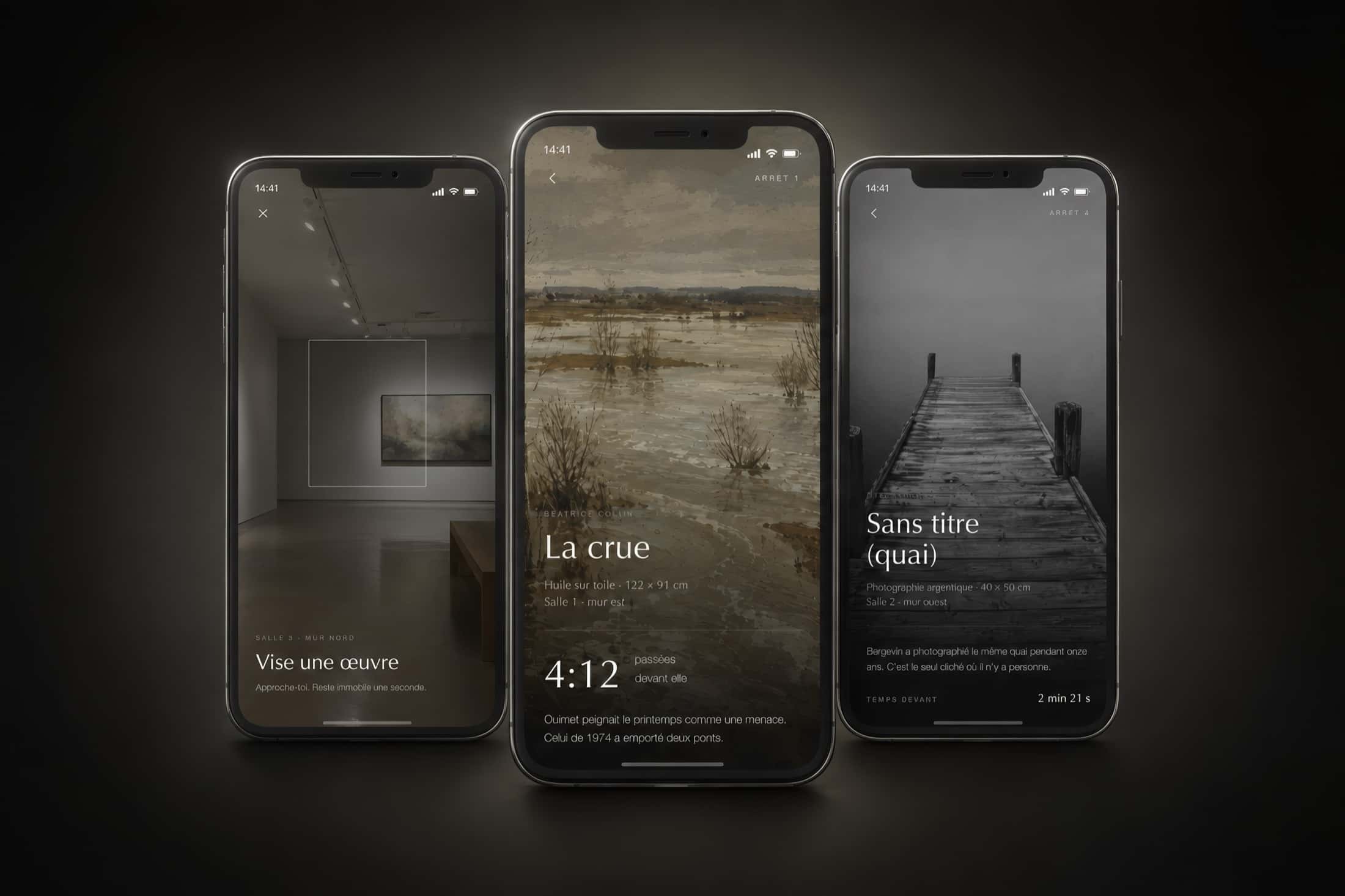
Museum apps have picked up a bad habit: they turn a visit into a checklist, with points, badges and works you mustn't miss. Trace does the opposite, and says so in plain sight inside the app itself — no points, no ranking between visitors, no notifications during the visit, and the museum does not know who you are. The gesture takes a second: point your phone at a work, hold still, and a forty-second capsule tells you one thing. Not the painter's biography — a sentence you'll remember. It's his sister's house, in Yamachiche; it burned down in 1964. Then the app goes quiet. On the way out it sends a catalogue built from the works you actually stopped in front of: in your order, with what you heard before each one, and the other twenty-eight are not in it. It stays online, with no expiry date. Six works out of thirty-four, and that's fine.

Platforms
iOS · Android
Our role
Concept, interface, full prototype
Status
Demo on request
Three screens of the central gesture: the viewfinder aimed at a work on a gallery wall, the page for an oil on canvas, and a silver-gelatin photograph with its commentary.
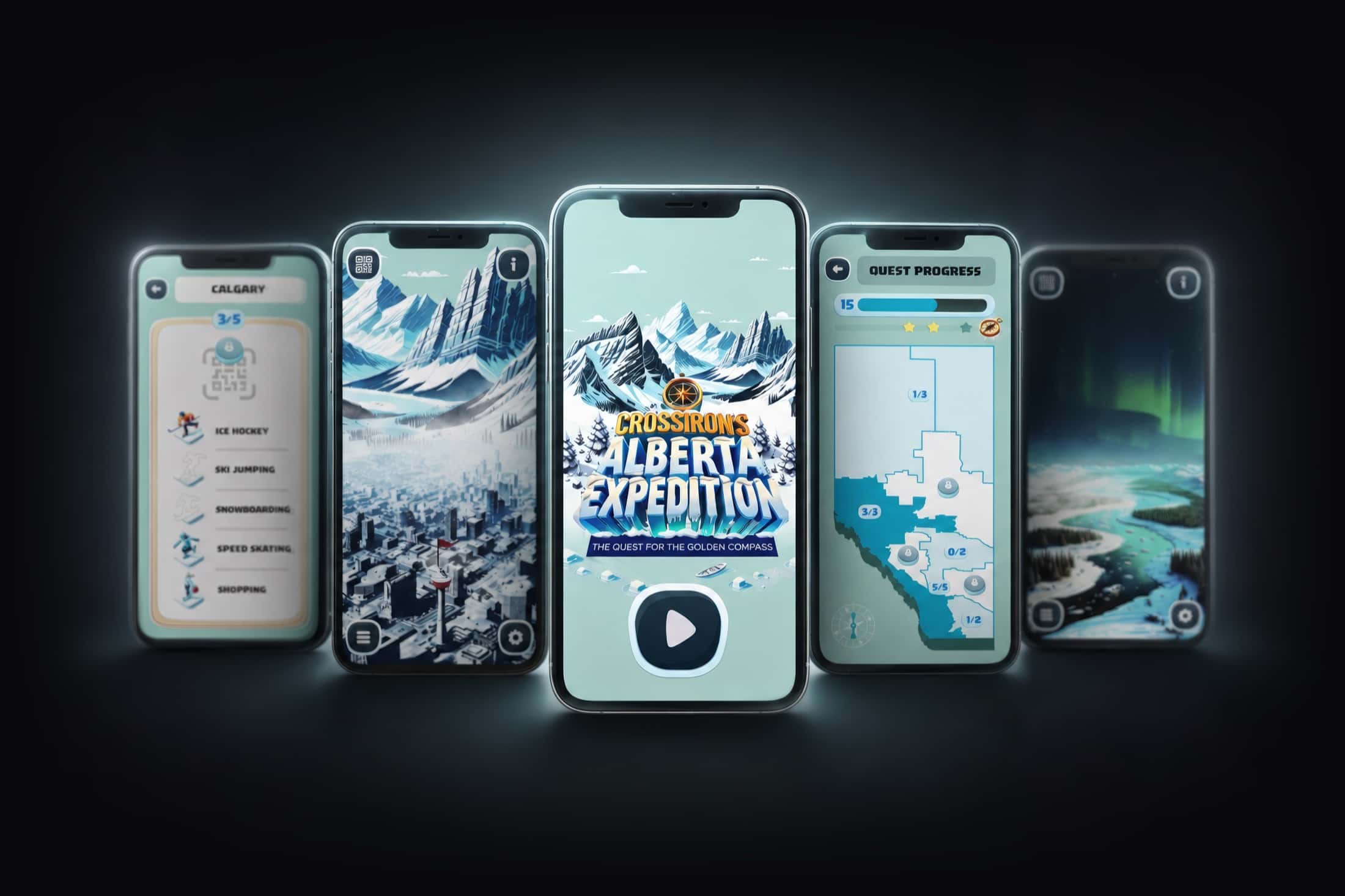
Five expedition screens: the Calgary discipline list, an urban panorama, the golden-compass title screen, the Alberta progress map and a northern-lights landscape.

05Shopping centre — Alberta

Built for CrossIron Mills

CrossIron's Alberta ExpeditionThe quest for the golden compass

A treasure hunt the size of a province, played inside a shopping centre.

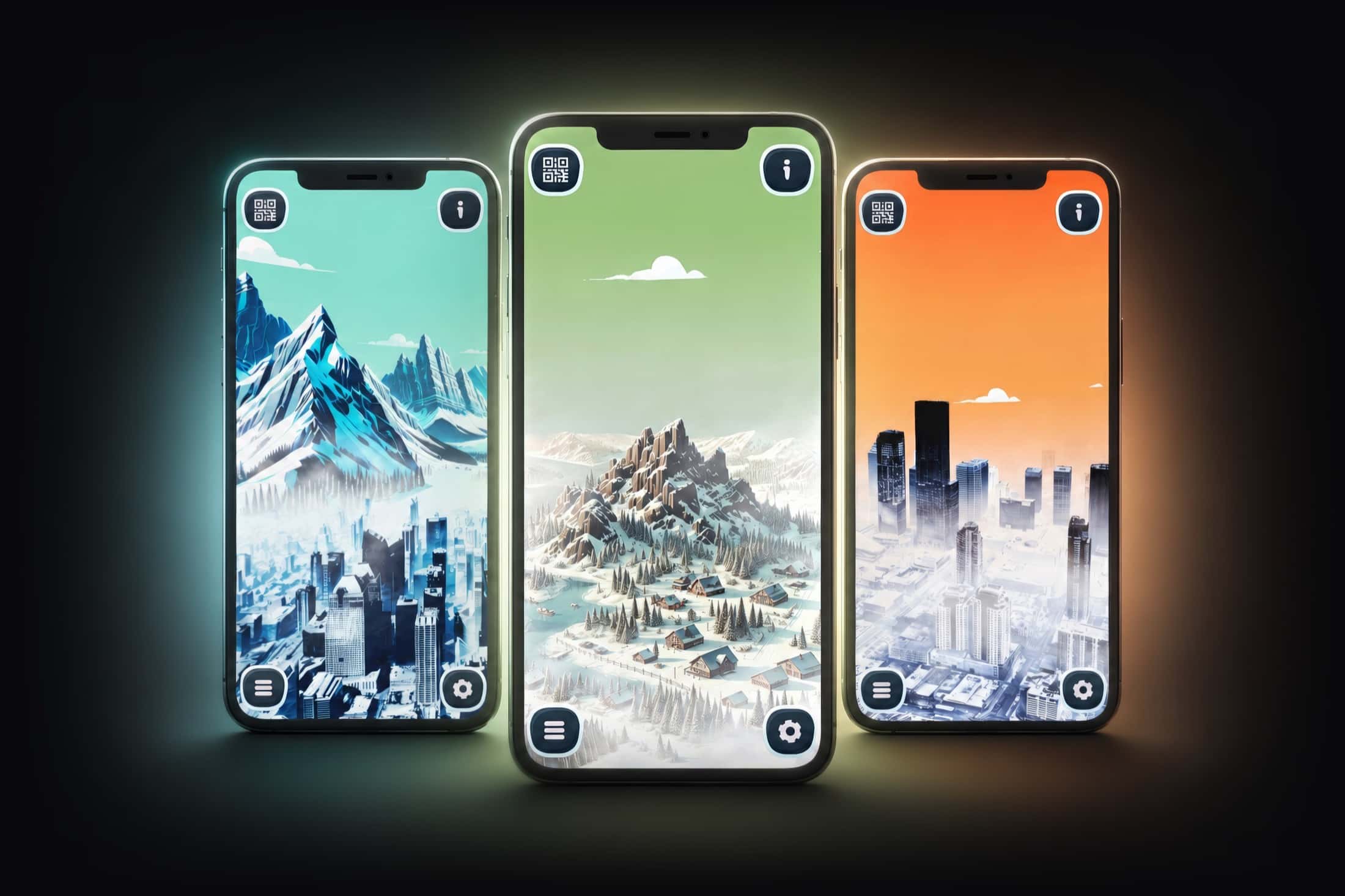
CrossIron Mills wanted families to stay longer without adding a physical attraction. We built an expedition: fifteen Alberta locations to unlock, from downtown Calgary to the northern lights, each hidden behind a code to scan somewhere in the centre. A progress screen shows the map of the province filling in with every discovery, city by city, discipline by discipline. The final treasure is a golden compass. What makes the mechanic work is that it is visual before it is playful: every unlocked place becomes a full-page illustration, and a child who has found twelve wants the thirteenth.

Platforms
iOS · Android
Our role
Concept, visual world, development
Status
Delivered
Three unlocked Alberta panoramas: a city beneath the mountains, a mountain village at dusk and a metropolis at sunset.
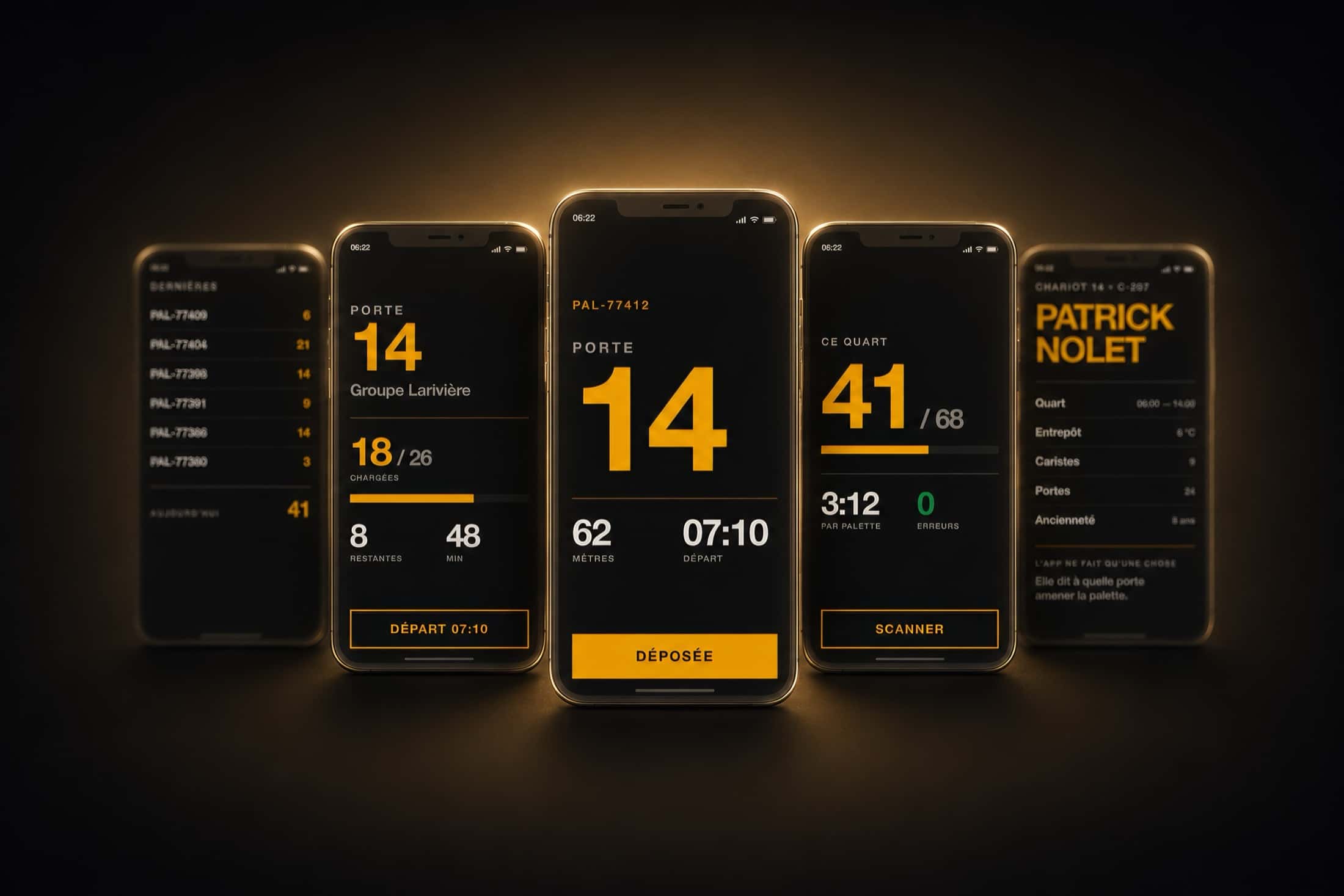
Five Quai screens in amber on black: the pallet history, a dock's loading progress, the dock number at full height, the shift counter and the driver's profile.

06Warehousing & logistics — iOS & Android

QuaiOne number, the size of your forearm

Twenty past six in the morning, six degrees, gloves on. The driver needs a dock number, and strictly nothing else.

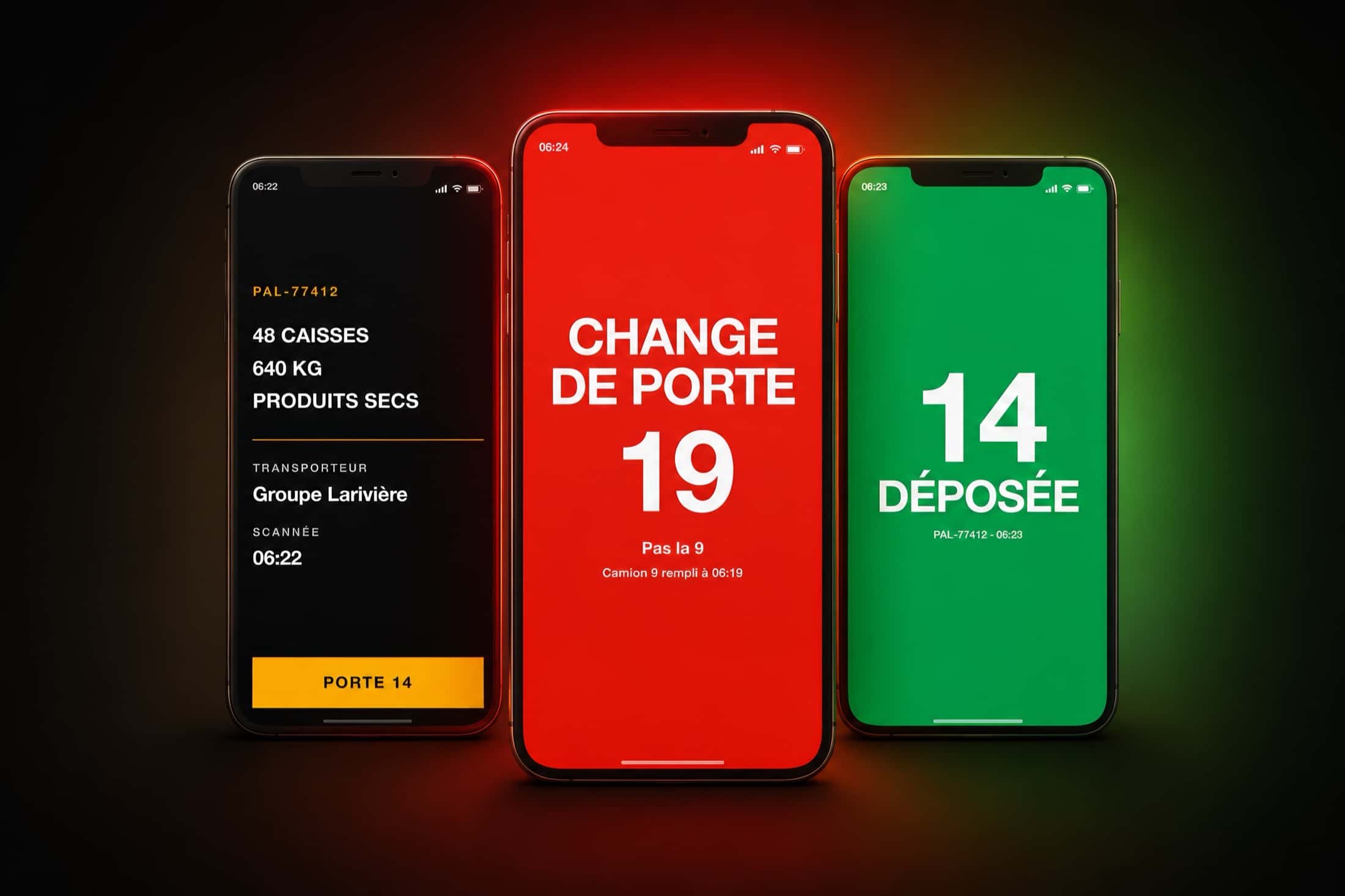
Most warehouse apps fail for the same reason: they were designed sitting down. On a forklift you read from a metre away, moving, wearing gloves, in a room held at six degrees. Quai starts from that constraint and draws exactly one consequence from it, but follows it all the way: one screen, one number, and the number fills half the height. Scan the pallet, the dock appears, drop it, scan the next — sixty-eight times a shift, without the gesture ever changing. All the intelligence of the system lives elsewhere: in the loading order, in the trucks filling up, in the metres to cover. None of it reaches the screen unless it changes the next action. When it does, the screen turns red and says one thing only: not 9, 19. Only at the end of the shift does the driver see pallets, errors and pace — the one page in the app where more than a single number appears at once.

Platforms
iOS · Android
Our role
Concept, interface, full prototype
Status
Demo on request
Three screens: the contents of the scanned pallet, a full-page red alert for a dock change, and the green confirmation of the drop.
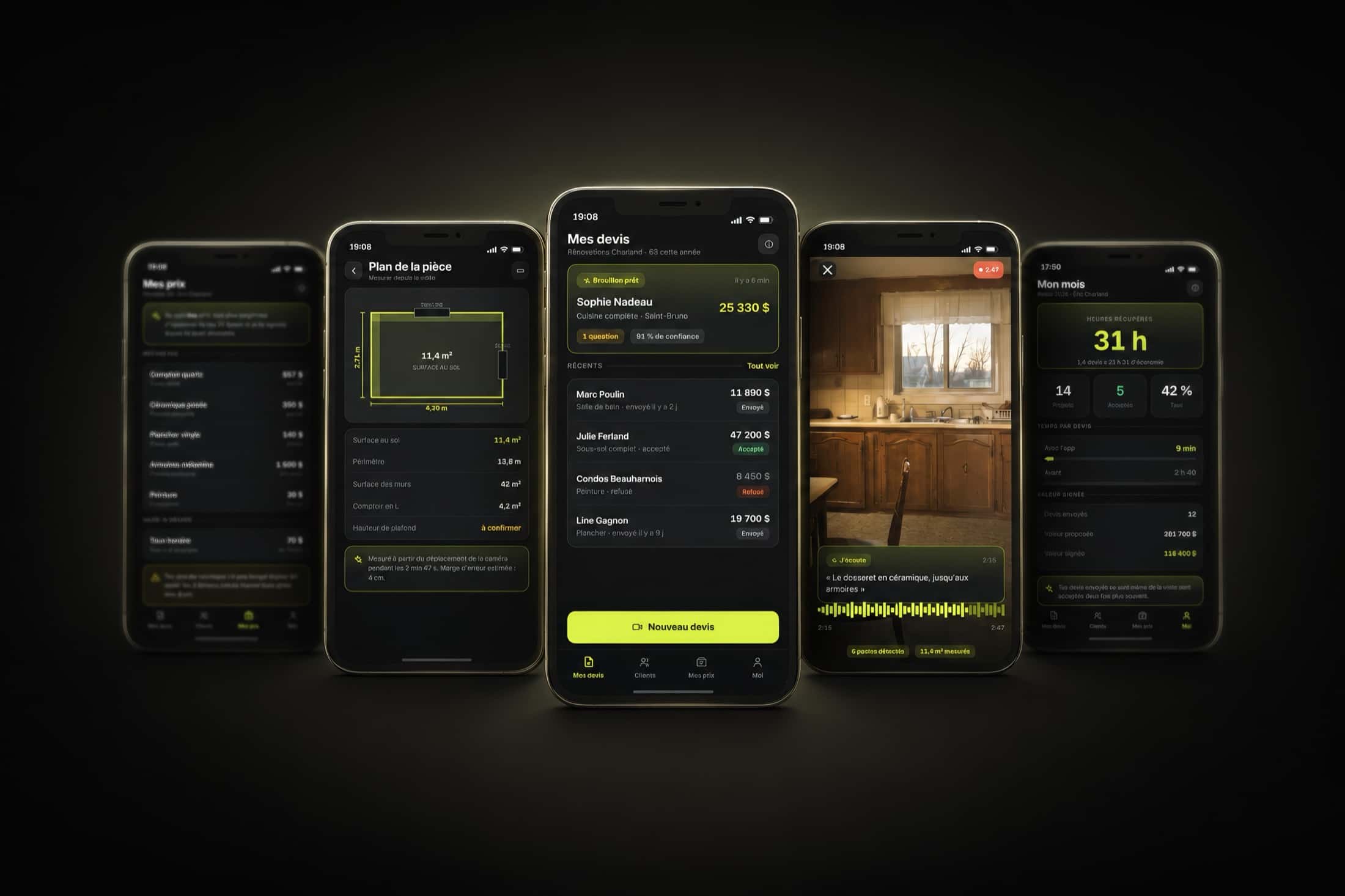
Five Devis screens in acid green on black: the price list, the measured room plan, the list of quotes, the video capture of a kitchen, and the month's summary.

07Contractors & renovation — iOS & Android

DevisTwo minutes of video, one costed quote

Seven in the evening. The contractor has walked four kitchens today, and still has four quotes to write tonight. That's where the trade gets lost.

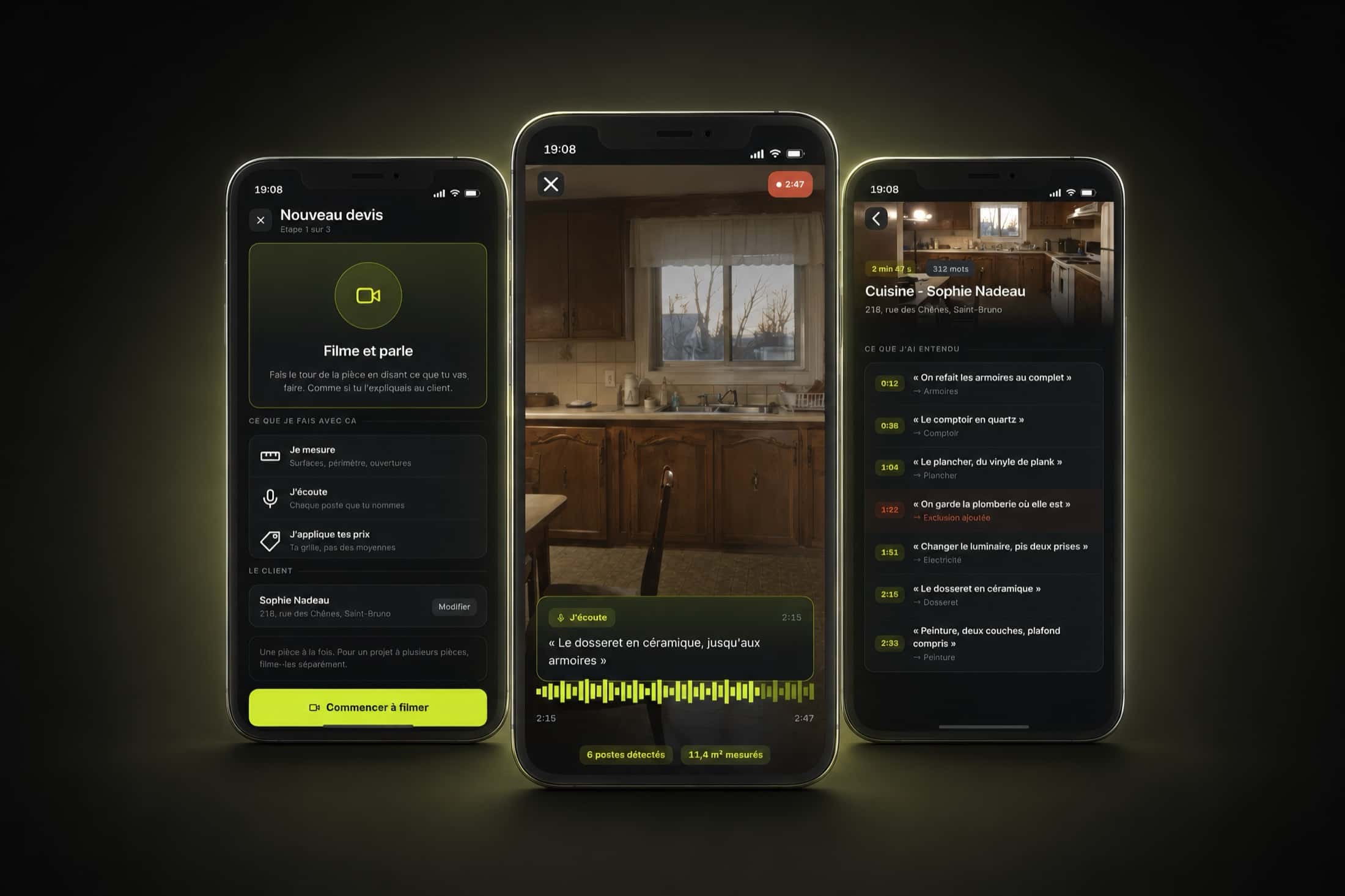
A renovation contractor doesn't lose contracts because he prices badly. He loses them because the quote goes out three days later, once someone else's has already arrived. Devis deletes the evening of paperwork: you film the room while talking, as if you were explaining it to the client. The app measures surfaces from the camera's movement, listens for every line item you name — the quartz countertop at thirty-eight seconds, the ceramic backsplash at two minutes fifteen — and applies YOUR price list, not market averages. What you say you won't do counts as much as the rest: "we're leaving the plumbing where it is" becomes a written exclusion on the quote, with the timestamp of the sentence. Then the app asks the two or three questions it isn't sure about, each with its impact in dollars — the ceiling height is worth three hundred and forty dollars of paint. The quote goes out the same evening, and every amount stays traceable: touch a figure and you land back on the second of video, or the measurement, it came from. Nine minutes instead of two hours forty.

Platforms
iOS · Android
Our role
Concept, interface, full prototype
Status
Demo on request
Three screens of the central gesture: the start screen telling you to film and talk, the capture running inside a kitchen with its live transcript, and the list of line items heard with their timestamps.
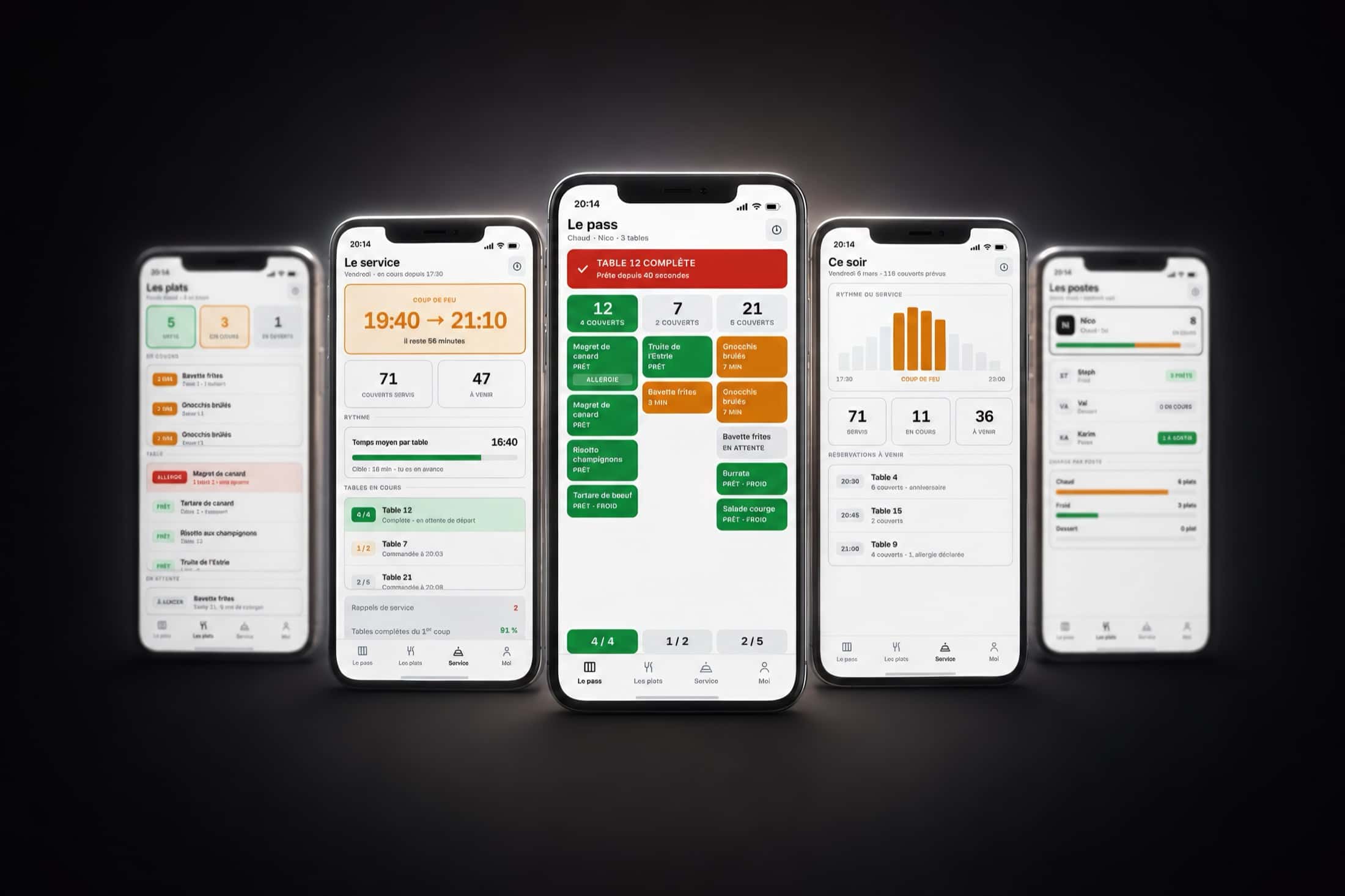
Five Barre screens: dishes sorted by state, the pace of service, the pass with its tables in green and orange, the night's covers, and the load per station.

08Restaurants — iOS & Android

BarreThe table leaves complete, or it doesn't leave

8:14pm. The duck has been ready for four minutes, the steak hasn't even been fired. At table 12, four people are waiting.

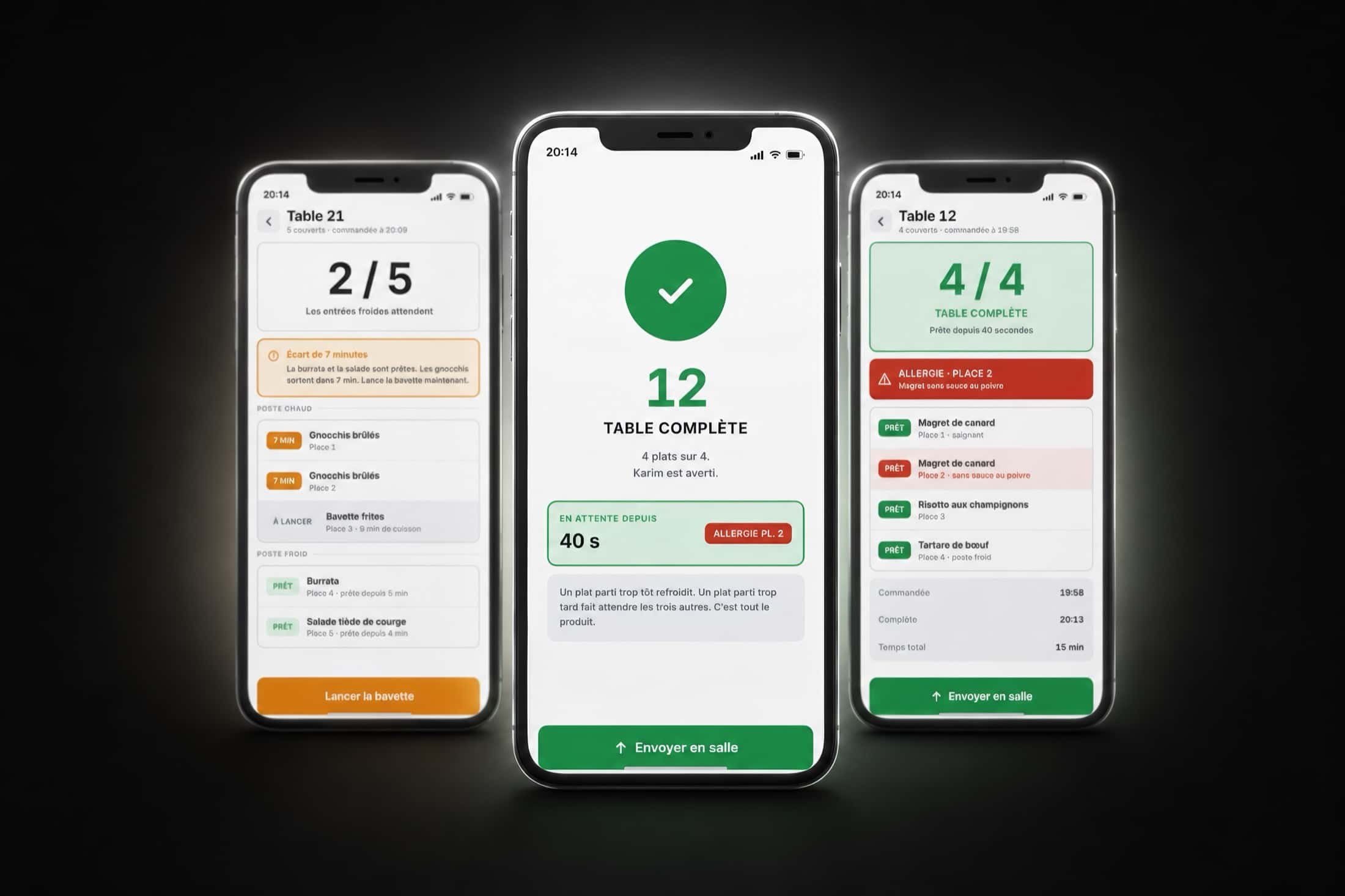
A plate that leaves too early goes cold. A plate that leaves too late makes the other three wait. The whole kitchen turns on that, and it is the only thing Barre calculates. The app knows the cooking time of every dish on the menu, and works backwards to the minute each one must be fired so the table lands together — the nine-minute steak goes on while the eighteen-minute risotto finishes. On the pass, a table turns green when all four plates are ready, and that is the only moment anything goes out to the floor. The rest of the product protects that moment. A plate with an allergy never leaves the station without a second pair of eyes, and the double-check is timestamped with the name of whoever did it. A plate sent back from the floor demands a reason — cooking, temperature, wrong dish, forgotten modification — because that, and only that, is what lets you see at month's end which dish keeps coming back. And on Friday night the chef doesn't get a dashboard: he gets a sentence. The risotto is running three minutes over target across forty-one plates this week; fire it first.

Platforms
iOS · Android
Our role
Concept, interface, full prototype
Status
Demo on request
Three screens of the central gesture: an incomplete table with its seven-minute gap, the full-page confirmation of a complete table, and the detail of its four ready plates.
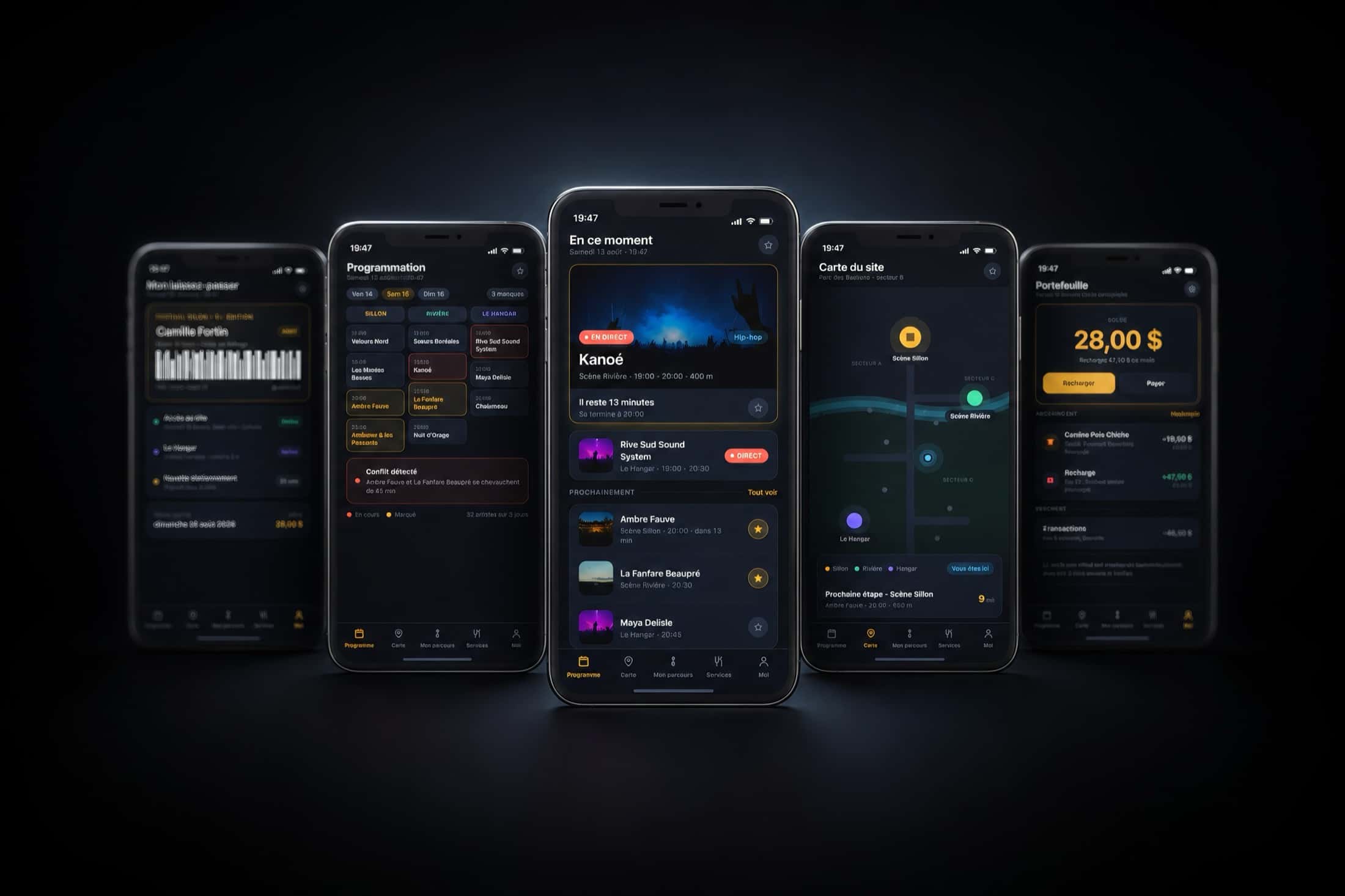
Five Sillon screens in night theme: the pass with its barcode, the three-stage schedule grid, the set playing now, the site map and the prepaid wallet.

09Outdoor festival — iOS & Android

SillonThe festival that tells you when to leave

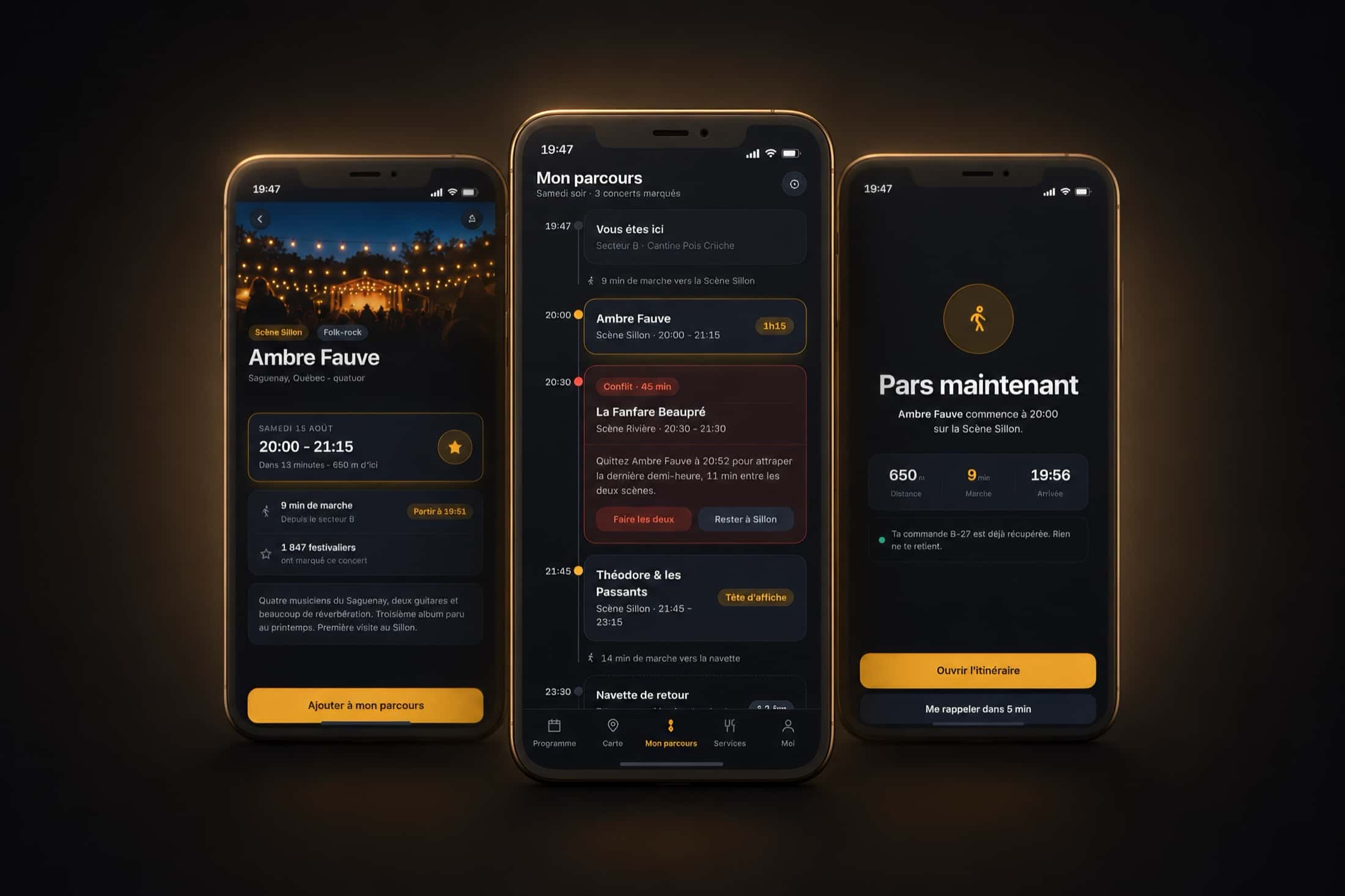
Two concerts you wanted to see overlap by forty-five minutes. The app knows before you do, and it tells you what time to leave the first one.

A festival app isn't judged on its line-up — it's judged at 7:47pm, when a set has thirteen minutes left, the next one is six hundred and fifty metres away, and the call has to happen now. Sillon is built entirely around that minute. You mark the concerts you want, and the app does the rest of the arithmetic: it detects the overlaps, measures the real walking time between two stages, and offers a way out — leave at 8:52 to catch the last half-hour of the other one, or stay put. Around that core, everything is designed to waste nothing: bar and canteen queues update live and the one already on your route rises to the top on its own, a virtual queue holds your place while you listen somewhere else, and a prepaid balance replaces the card at the counter. On Sunday night the festival gives back what it owes you and hands you what you lived: nine bands, twenty-six kilometres, a photo album and a badge collection nobody expected to want to finish.

Platforms
iOS · Android
Our role
Concept, interface, full prototype
Status
Demo on request
Three screens around a schedule clash: a band's page, the evening's route with its two overlapping sets, and the screen that says leave now.
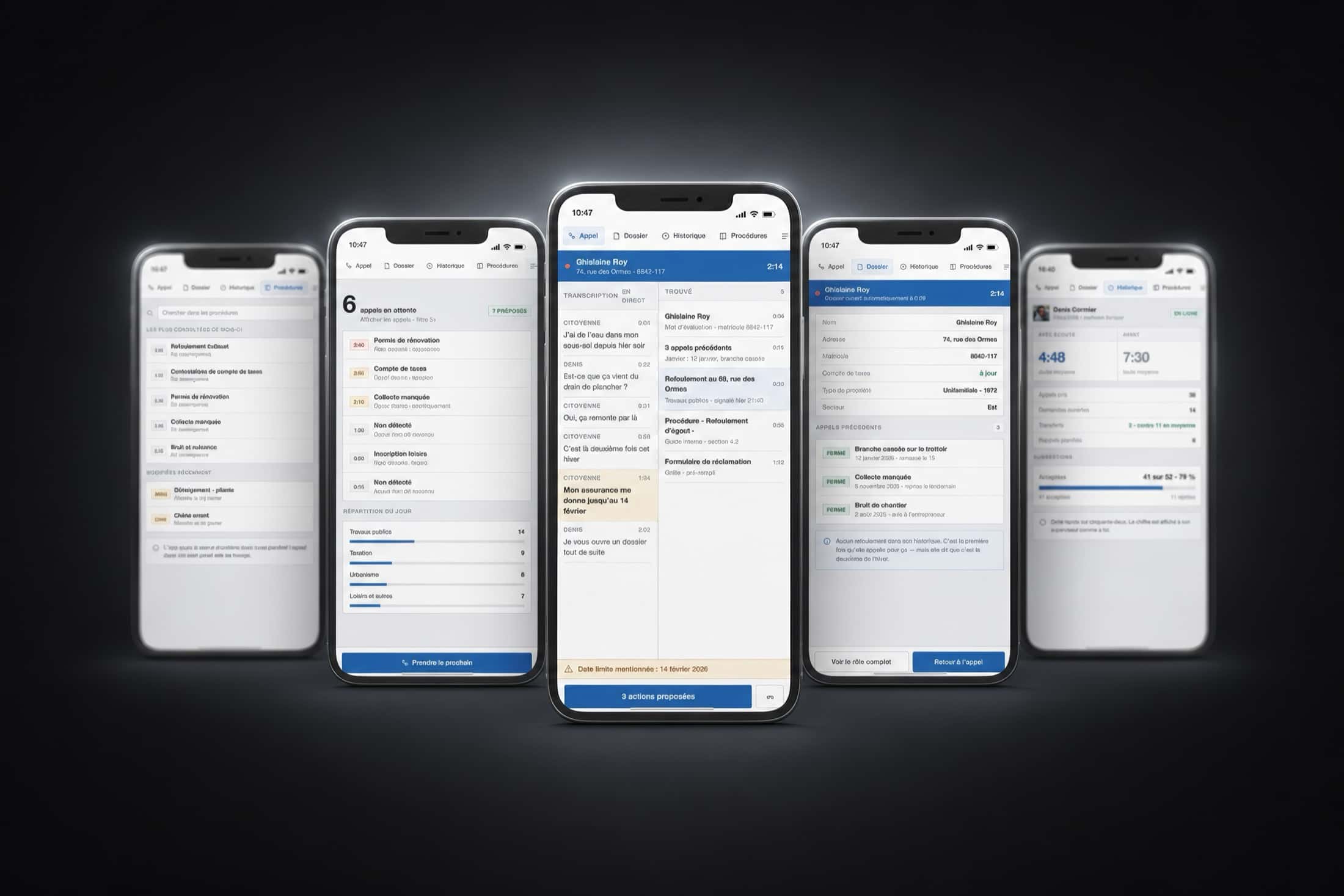
Five Écoute screens: search across internal procedures, the queue of waiting calls, the live transcript with the file already found, the caller's record and the agent's dashboard.

10Citizen hotline — iOS & Android

ÉcouteNothing goes out without your thumb

Four minutes on the phone, a date mentioned in passing at the ninety-second mark, and a case file that should have existed before the call.

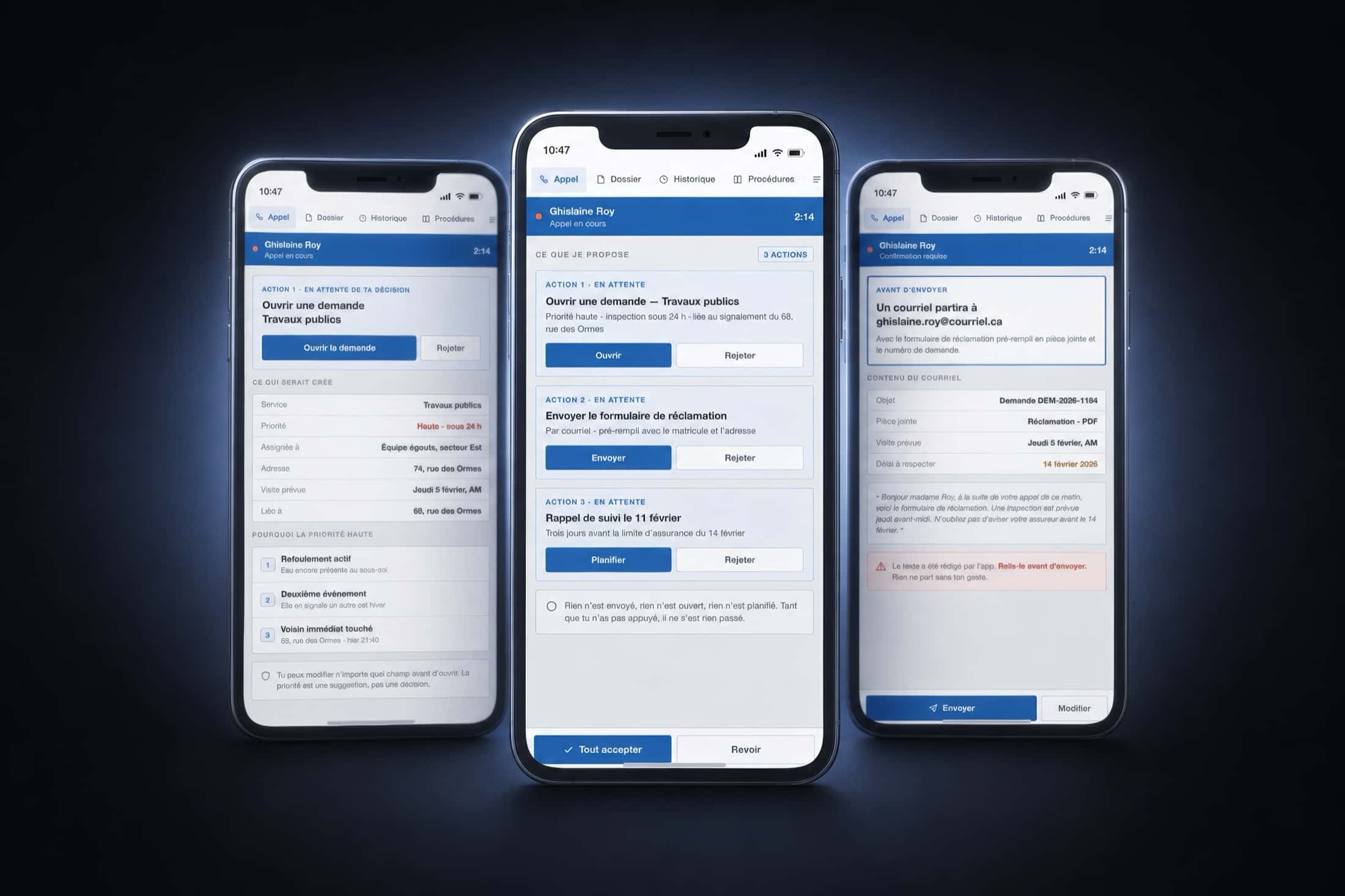
A municipal citizen hotline means six calls waiting and an agent typing while he listens — which means listening badly. Écoute reverses the load. During the call the app transcribes, pulls up the caller's file before she has given her address, spots the four reports already filed on the same street this month, and holds on to the insurance deadline she mentioned in passing. At the end it does nothing: it proposes. Three actions, each with its own button and its own reject button — open a priority request, send the pre-filled claim form, schedule a reminder three days before the deadline. Nothing is opened, nothing sent, nothing scheduled until a thumb has pressed. The rejection rate for those suggestions is displayed on purpose, because an app that hides what people refuse from it is hiding something else. And one full screen lists what it will never do: speak to the citizen, decide who is liable, or score the agent's performance.

Platforms
iOS · Android
Our role
Concept, interface, full prototype
Status
Demo on request
Three screens of the central gesture: the detail of a request about to be opened, the three proposed actions with their reject buttons, and the email preview before sending.
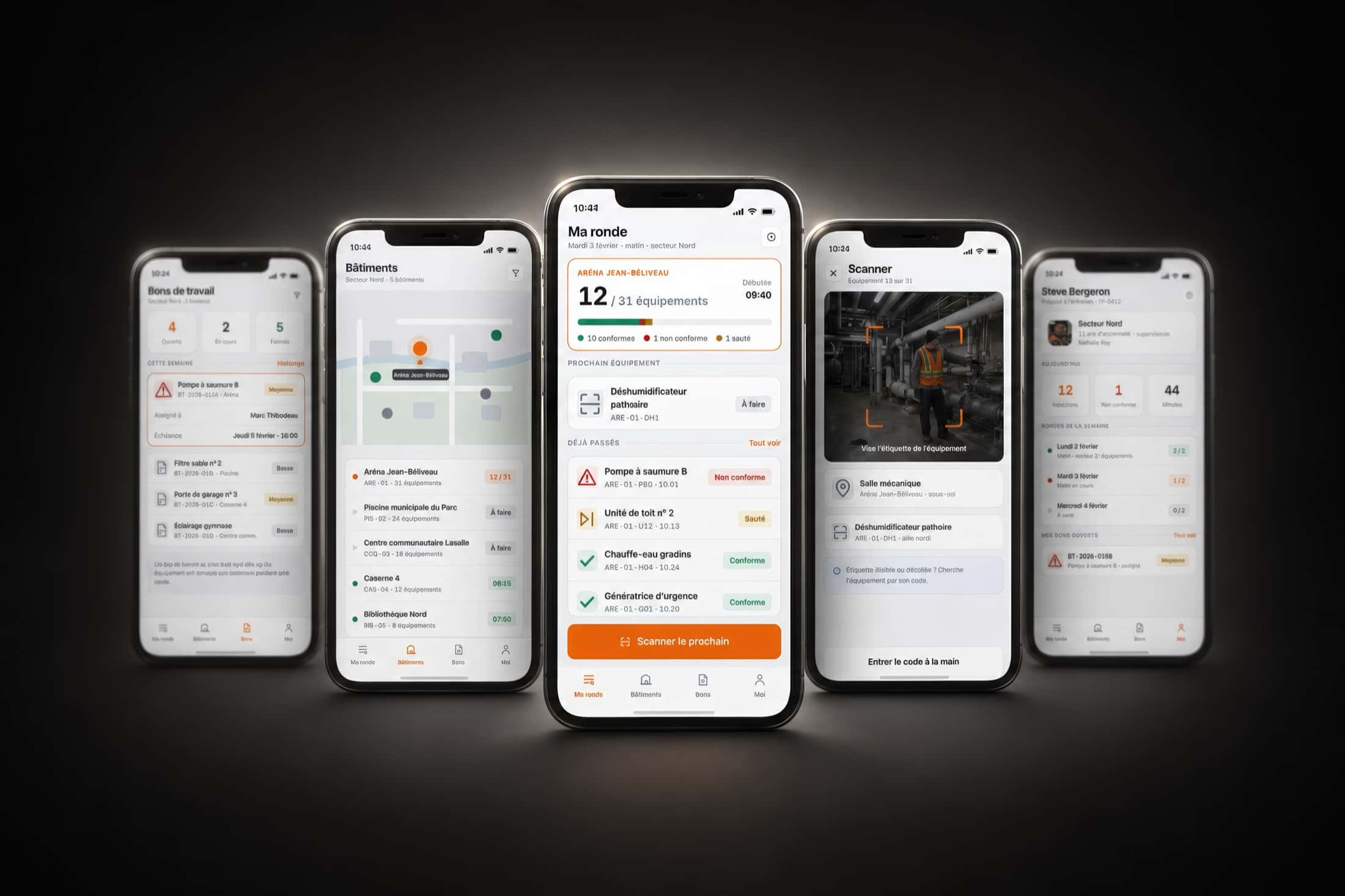
Five Relève screens: the work-order list, the map of the sector's buildings, the round in progress with its counter, the tag scanner and the attendant's profile.

11Municipalities — iOS & Android

RelèveThe inspection you can run wearing gloves

Thirty-one pieces of equipment to check in one arena, in a single morning. The attendant has two hands, and one of them is holding a flashlight.

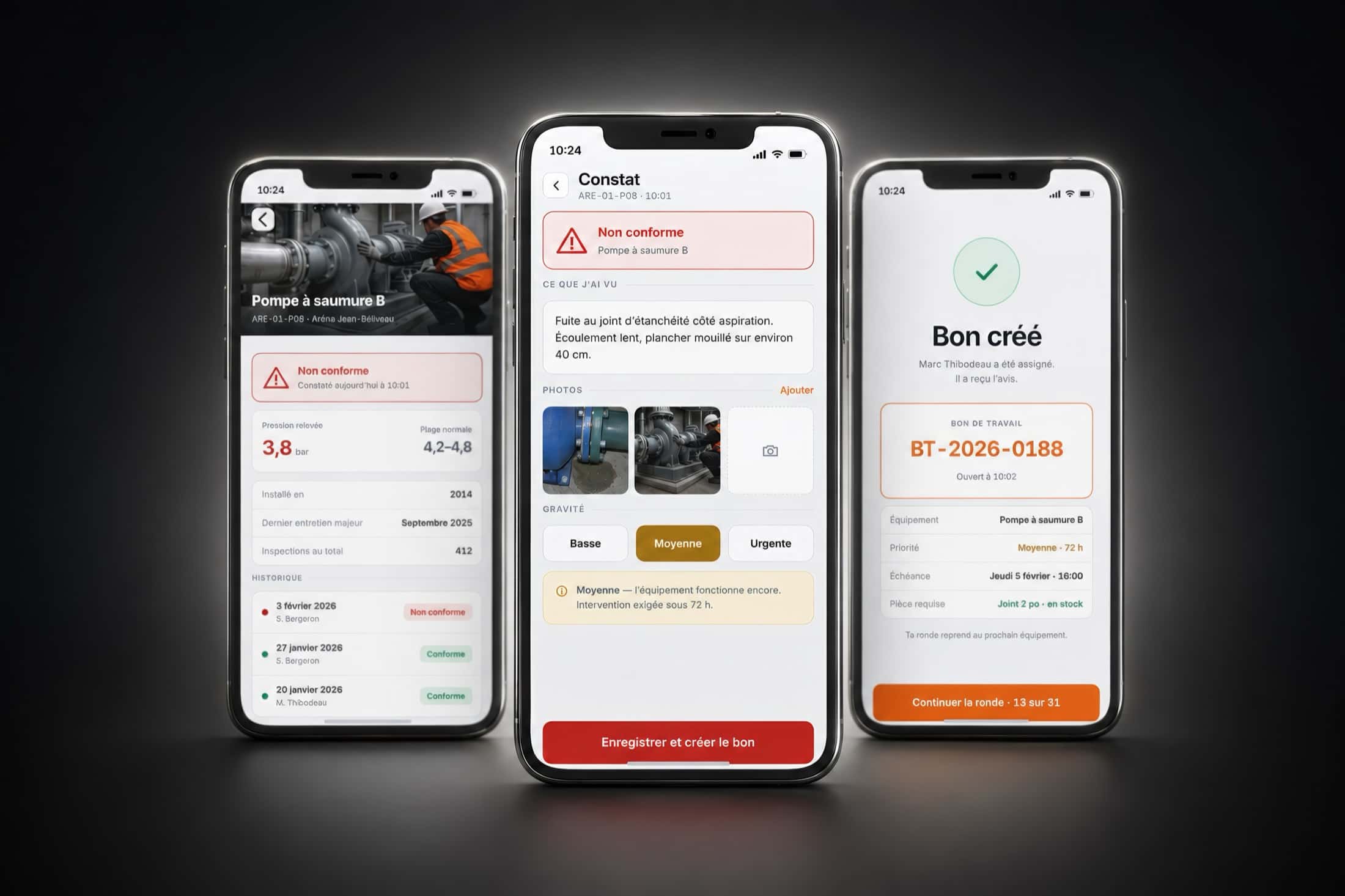
Municipal preventive maintenance rarely fails for lack of skill — it fails on paper. A sheet filled out in a mechanical room, copied up that evening, filed the following week, and untraceable two years later when an inspector asks for it. Relève replaces the sheet with a single gesture: scan the equipment tag, and three buttons appear — compliant, non-compliant, skipped. That is everything you need to be able to do wearing gloves. The rest follows without being asked: marking something non-compliant opens a work order, assigns it to the right trade and notifies them before the round even resumes. Skipping something demands a reason, because equipment skipped without a reason is equipment forgotten. And on Friday the week sends itself to the supervisor, with its compliance rate per building and its registry number — kept for seven years, as the regulation requires.

Platforms
iOS · Android
Our role
Concept, interface, full prototype
Status
Demo on request
Three linked screens: a pump reading below range, the photographed finding with its severity level, and the work order created and assigned.
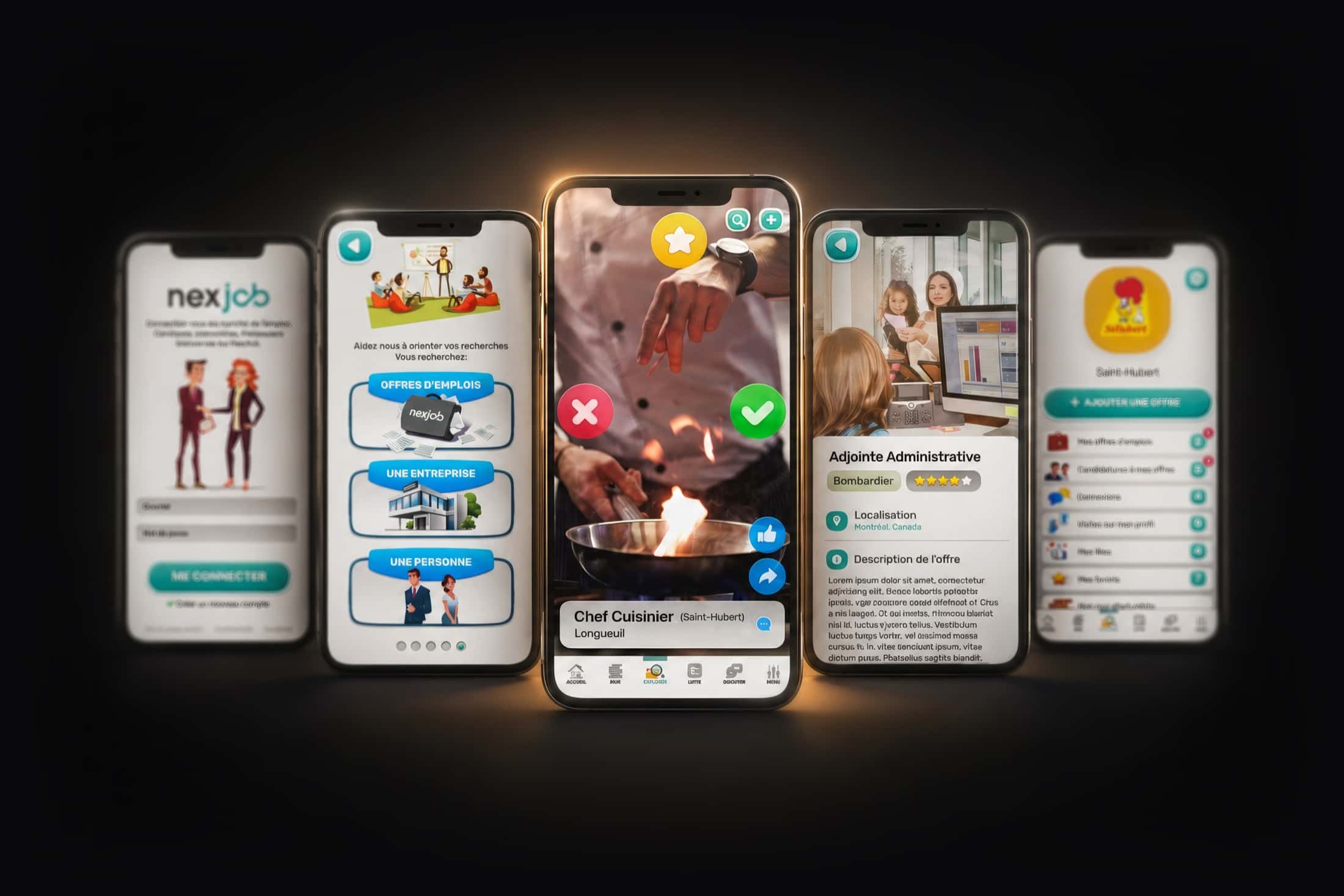
Five Nexjob screens: sign-in, search orientation, a job card to sort, a detailed listing and an employer dashboard.

12iOS & Android — Quebec

Built for Nexjob

NexjobJobs, one swipe at a time

Job hunting with the same gesture as looking for someone. One card, two directions, that's it.

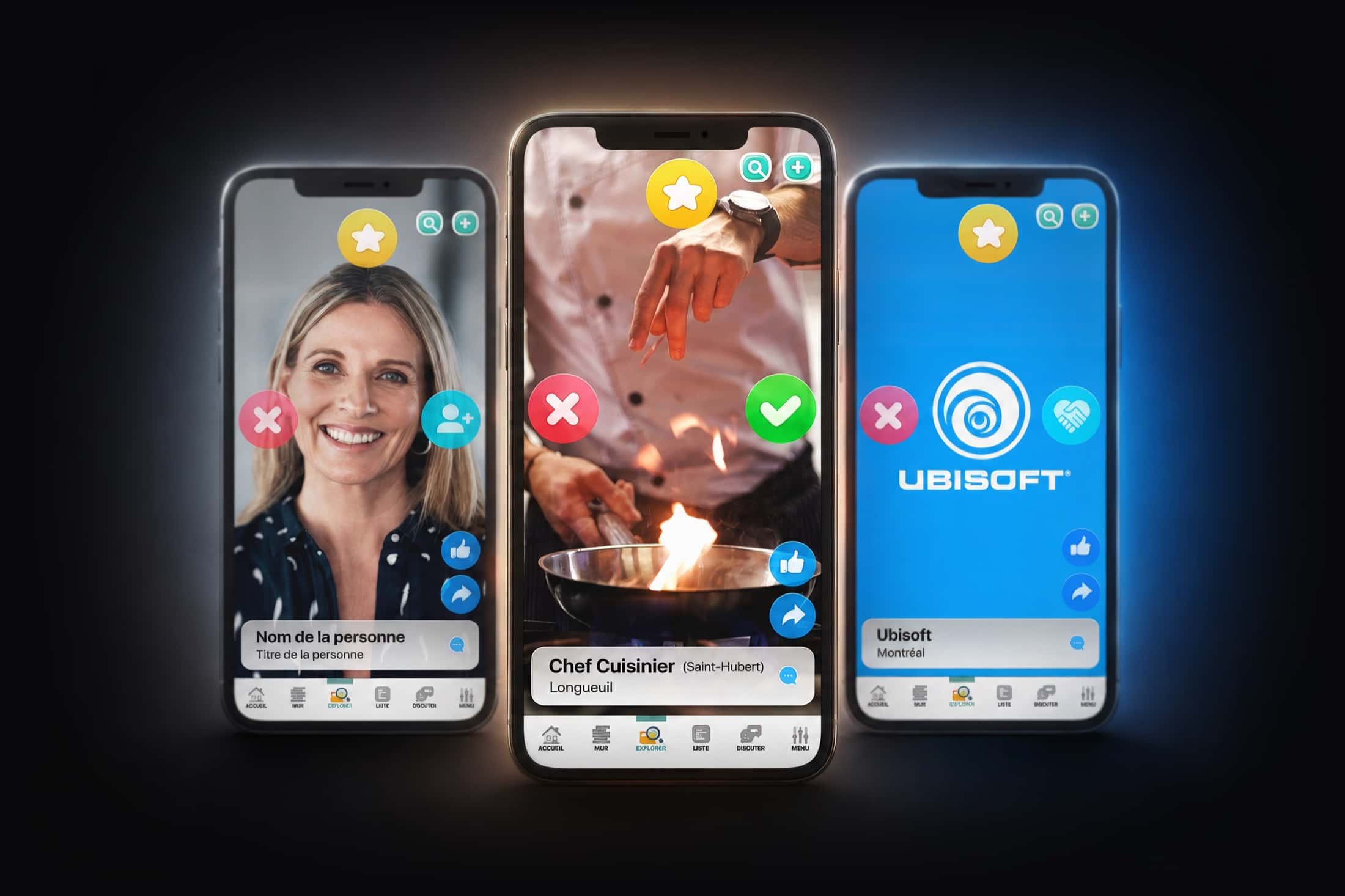
A hiring platform built around a single gesture: the card. Offers, companies and candidates arrive one at a time, full page, and are sorted with a thumb — keep, pass, save for later. Behind that simplicity the app carries three products in one: a geolocated search engine with filters for trade, rate and distance; a full professional social network with wall, posts and connections; and an employer dashboard where each company tracks its offers, applications and profile visits. The candidate never feels like they're filling in a form — they feel like they're scrolling.

Platforms
iOS · Android
Our role
Design, interface, development
Shipped
2021
Three cards side by side to sort: a person, a job offer and a company, each with its sorting buttons.

All twelve apps on this page were designed and developed by the studio. The screens shown are the real interfaces, with demonstration data.

Sectors

Anywhere a place, a trade or a community deserves better than a website.

What this list has in common: people repeating the same gesture, and a tool that never really listened to them.

Shopping centres
Museums & attractions
Municipalities & recreation
Recruitment & HR
Events
Tourism
Retail
Sport & clubs
Real estate
Hospitality
Education
Manufacturing

Your product

Tell us the gesture.

An idea, a place, a problem that comes back every single day — we come back with the app that answers it.

Creative Drops — apps, platforms and interactive systems. Montreal, Quebec.